



Whether you want to record your epic solo album, complement your Reels or TikToks with high-quality audio, or just practice at home with a wealth of tones at your fingertips, the best guitar audio interface is a crucial component of the modern guitar player's tone locker. I began recording my guitar at home well over 20 years ago, and now I work in professional recording studios with huge numbers of channels. In the past couple of years, I've reviewed north of 20 audio interfaces, and what I've learned is that at this level, there's not all that much difference between them in terms of audio quality; it’s the performance and features that matter.
As well as testing all of the interfaces in this guide, I’ve also performed latency testing on every single entry. Latency is the delay between playing your guitar string and hearing the sound coming out of the speaker, and for a guitar player, it’s crucial that this delay is as small as possible. Each interface was tested on my MacBook Air M1 to ensure a level playing field, and you can find more information on this in the how we test section.
If you're looking for the best audio interface for guitar overall, I would highly recommend the Universal Audio Apollo Twin X. I use the bigger X4 version of it in my own home studio, and it delivers superb low-latency performance no matter what I'm recording. It is expensive, though, so if you want something that costs a bit less, have a look at the Focusrite Scarlett 2i2 4th Gen. It comes in around the $200 mark, offering exceptional value for money whilst still delivering plentiful features.
There's a lot of tech-speak around audio interfaces, so I've put together a glossary of key terms that will explain any techno-babble that's beyond your knowledge. I've also curated an expansive FAQs section that answers loads of common questions if you haven't quite found what you're looking for – or just want to back up your buying decision with over twenty years of experience.
Best overall
✅ Buy if you want minimal latency: Thanks to its DSP chip, the UA Apollo can take the load off your computer with its own processing power, providing super low latency when recording.
❌ Avoid if you're on a budget: It's a pricey interface thanks to its host of features, so if your budget is tight, then you're better off looking elsewhere.
🎛️ If you want the best overall option and aren’t budget-limited, the Apollo Twin X will serve any guitarist incredibly well. The onboard DSP means it works great with older spec machines, and the workflow is incredibly satisfying.
Overview
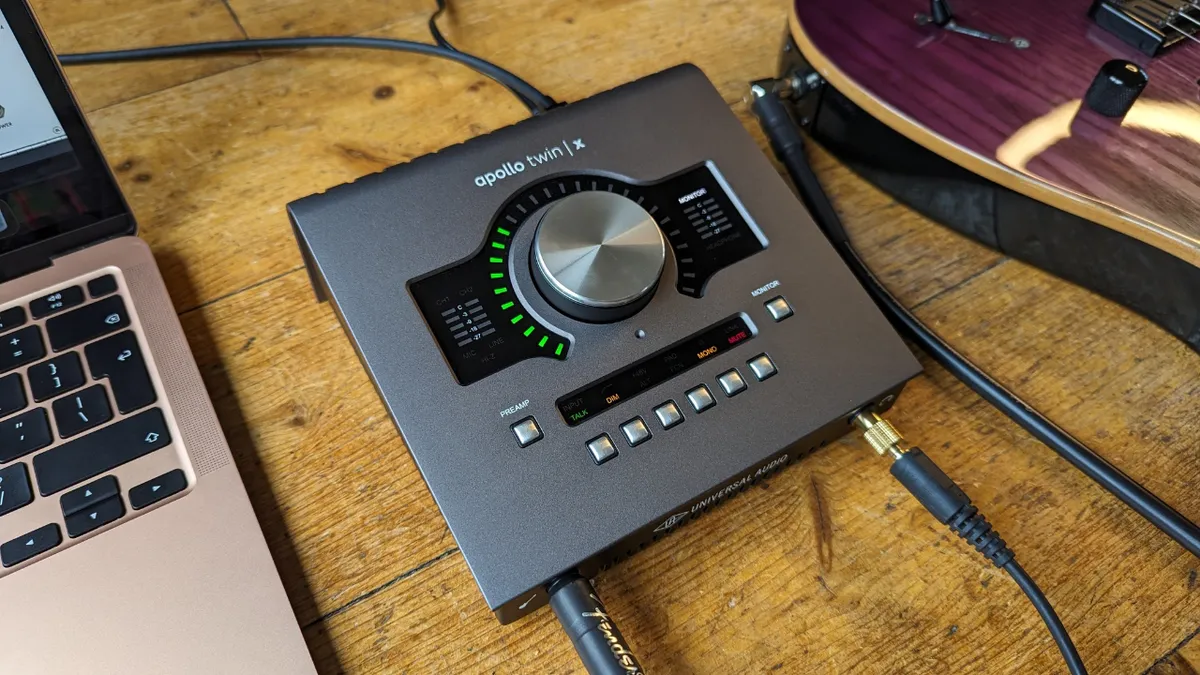
There’s a reason many pro engineers utilize the Universal Audio Apollo Twin X as part of their home or traveling setups. It provides an incredible amount of power in a tiny unit, matching UA’s famed rackmount studio interfaces for power and versatility.
Features
It’s a 2-in-4-out interface, so ideal for home studio applications. It gives you the ability to multi-mic an amp if you want to, or you can go direct and use software via the dedicated instrument input. Thunderbolt 3 connectivity limits its use on older Windows machines, however, so be aware of this before buying.
It’s available in Duo or Quad processor models, which give you increasing levels of power to run onboard plugins. This can be great for leveraging more out of an older PC or laptop, as you can put more strain on the interface, leaving your software with more processing power to utilize.
Software
The Apollo Twin X delivers 12 of UA’s classic plugins, covering EQs, compressors, preamps, and channel strips. There are studio icons like the LA-2A and Pultec EQs to get you started, which, alongside your stock plugins from your DAW, should be plenty. You can also purchase different versions, like the Heritage Edition and Studio+ Editions, which give you more software to get started with.
It also includes the UAD Console software, which is the hub of any UA interface. Here you can add plugins that will run on the audio interface itself, so just like working in a real studio, you can EQ and compress your signals on the way in. There are loads of presets available, and it also gives you an overview of all your levels and settings, so you can change things up without having to reach for the interface itself.
Performance
The Apollo Twin X encourages you to get the sound right at the source by providing you with the UA Console software, which allows you to add preamps, compressors, EQs, and anything else you like before you hit the record button. This is what pro engineers do in actual studios and can be particularly useful when recording more organic instruments like acoustic guitars.
Despite the real-time processing and high-resolution conversion, there’s zero latency when you record with the Apollo Twin X. This is because it has its own processor, putting the workload onto the interface rather than on your computer. It’s an expensive bit of kit, but well worth the entry fee.
I really love the large encoder knob and dedicated buttons on the front panel, which allow for quick changes. Whether that’s swapping between the headphone outs and your studio monitors, quickly dimming the speakers in order to hear something else going on in the room, or the mono switch to let you double-check the phase compatibility of your mix, the workflow of this interface is intuitive and incredibly satisfying.

"The workflow is sleek and smooth (once you get it installed) and the power of DSP processing takes the strain off your computer, freeing you up to get into more complex projects. An excellent feature set makes it a powerful tool for recording guitars, and there’s plenty to grow into should you decide to upgrade your setup in the future."
Read more: Universal Audio Apollo Twin X review
Test |
Results |
Score |
|---|---|---|
Features |
Perfect for home studios |
★★★★½ |
Software |
Comes bundled with some iconic plugins |
★★★★½ |
Performance |
Encourages a studio-style workflow with low latency |
★★★★½ |
Overall |
The best in the game for guitarists recording at home |
★★★★½ |
Best for beginners

✅ Buy if you want a simple-to-use audio interface: The nice, clean design of the iD4 makes it a breeze to get up and running, and it has extra depth on hand for when you're fully up to speed.
❌ Avoid if you need MIDI: There are no MIDI ins or outs here, so avoid it if you're looking to work with MIDI during your recording sessions.
🎛️ Despite its pro-grade preamps and heritage, the Audient iD4 MKII is remarkably easy to use thanks to the large encoder knob and intuitive design.
Overview
While it’s a truly well-built piece of equipment, one of the key selling points of the Audient iD4 MkII is just how simple and easy it is to use. As many guitarists are only recording one track at a time, it doesn’t make sense to buy an interface with loads of inputs they are never going to use.
The iD4 MkII is a simple 2-in-2-out USB-C powered interface featuring instrument-level DI for your guitar or bass guitar, as well as a mic preamp with phantom power for using condenser mics.
Features
The main feature of the iD4 MkII is the smart scroll wheel that enables you to tweak settings within your software. It’s very intuitive, and in my testing, it didn’t take long before my hands were whizzing around making changes whilst I recorded some guitar tones. The iD4 MKII gives you two monitor speaker outputs and dual headphone outputs, the latter of which can be very useful if you’re collaborating with someone on a track.
It’s powered by USB-C, but be wary that it requires a full USB 3.0 Connection in order to work properly. Some PC motherboards have USB-C, but they might only be USB 2.0, so make sure you’ve got the right connections in order to power this. You’ll likely only find this on older machines, however, so if you have a modern one, it shouldn’t be an issue.
Software
The iD4 MKII comes with Audient’s ARC Software Suite, which features a range of software that will ensure beginners can get up and running straight away. It includes Cubase LE 3, so you’ve got a DAW to get you started, and for guitarists, it includes the Strymon Cloudburst plugin and Torpedo Wall of Sound speaker simulation software.
You also get a bunch of soft synths and a Softube mastering software alongside some Produce Like A Pro courses if you want to get your mixing skills up to speed. The iD mixer software allows you to control your interface hands-free, setting levels, changing sound sources, and creating cue mixes.
Performance
By keeping the number of inputs to a minimum, Audient is also able to keep the price down without sacrificing quality. In fact, the mic preamp in this is the same design as those used in Audient’s top-line desks, and its all-metal casing makes it feel anything but cheap. I love the fact that it’s relatively small too, which makes it a great option for a travel rig.
In my testing, the latency was excellent with a MacBook Air M1, and I frequently return to using the iD4 MKII if I need to set something up quickly away from my core home setup. The encoder knob can be used for all sorts of things, with the scroll mode enabling you to highlight options on screen with your mouse, then use the knob for real-time control over the parameter.

"All told, the Audient iD4 MkII offers a huge amount of sensible features, with some nice additional touches you might not expect at this end of the entry-level spectrum. For guitarists, the sound quality and ease of use make it an ideal guitar audio interface for anybody relying on amp sims for their recording needs. I also found the overall levels of build quality to be very high, giving me confidence this would make the ideal audio interface for small home studio recording setups."
Read more: Audient iD4 MKII review
Test |
Results |
Score |
|---|---|---|
Features |
A great option for beginners |
★★★★½ |
Software |
Nice bundle, but others offer more |
★★★★☆ |
Performance |
Brilliantly simple to use with powerful preamps |
★★★★½ |
Overall |
An excellent choice for the first-time recording guitarist |
★★★★½ |
Best budget

✅ Buy if you want a budget interface: Packed with beginner-friendly features plus great quality sound, this interface is perfect for guitar players who want a great value for money interface.
❌ Avoid if you like inputs on the front: Focusrite has done away with combo inputs on the front of the unit, so if you want to use your mic inputs, they're only accessible on the back panel, which could be a pain for some.
🎛️ It might be the very cheapest audio interface, but in terms of value for money, it doesn’t get much better than this. I prefer the Focusrite Scarlett 2i2 4th Gen versus the Solo because the dual inputs give you something to grow into.
Overview
Focusrite's ubiquitous red box has become one of the go-to audio interfaces for musicians of all sorts, and that applies to guitarists who are just getting started recording, too. The Focusrite Scarlett 2i2 4th Gen is the perfect interface for those on a budget, giving you everything you need and plenty to grow into.
Features
For the 4th Gen, Focusrite has added loads of useful features, including an auto-gain function that automatically detects your input and adjusts the gain accordingly, super useful if you're switching between guitars using single coil pickups or humbuckers. There's also a clip-safe feature that prevents accidental clipping from signals that are too hot, which can be a real lifesaver if you’re dealing with a particularly dynamic signal.
I’m not a huge fan of the switch to line inputs on the front face of the 2i2 4th Gen, but for guitar players playing entirely in the box, it makes a lot of sense. It’s not the end of the world to have to reach around the back to plug in the XLRs, but I think it makes it slightly less flexible than the predecessor.
Software
There’s a pretty generous software offering with the 2i2 4th Gen, thanks to the addition of Ableton Live Lite and the Hitmaker Expansion. The latter includes some genuinely useful software like Melodyne, XLN Addictive Drums 2, and Native Instruments Massive, which will be handy for music creation. There’s also a Focusrite channel strip and compressor for ensuring you get a great mix nailed.
The Focusrite Control 2 app is really nice to use as well, and it can access all the functions on the front face of the interface. You can also use it for loopback functions, setting levels, switching channels, and loads more. You can also run it on your smartphone if you want a remote control option, and it gives you automatic firmware updates instantly, too, so you're always ready to go with the latest drivers and software.
Performance
As I’ve come to expect from Focusrite, their preamps deliver spectacular performance, and there's a dedicated instrument setting for boosting the tone of your guitar. Everything is clearly marked on the front face, and the ring lights around the gain knobs mean you can set your levels without having to use the software.
The ‘Air’ functions add a nice bit of harmonic content to your signals, great if you want to spice up a dull DI sound, and there’s plenty of gain on tap if you’ve got a particularly quiet source to feed it. In my testing, it sounded phenomenal with an SM57 and Rode condenser in front of my guitar amp, and at a relatively low price, it’s fantastic value for money overall.
"Where the Focusrite Scarlett 2i2 excels is a combination of usability and value for money. With the field so balanced in terms of actual sound quality, it’s these features that help this famous red box continue to stand out in the crowded market. They've got everything the modern musician needs to record great-sounding guitars and will cover a range of bases – whether that’s your instrumental post-rock album or full productions for your metal band."
Read more: Focusrite Scarlett 2i2 4th Gen review
Test |
Results |
Score |
|---|---|---|
Features |
One of the most feature-packed options here |
★★★★½ |
Software |
Fantastic plugin bundle and companion app |
★★★★½ |
Performance |
Great control app and easy to use |
★★★★½ |
Overall |
Considering the cost, this is superb value |
★★★★½ |
Best for bass

✅ Buy if you like to get it right at the source: With its built-in 76-style compressor and instant vintage tone button, the Volt is great for those who like to nail their core sound before hitting the record button.
❌ Avoid if you need lots of connectivity: This is a simple 1-input interface, so if you're planning on multi-miking or recording instruments simultaneously, you'll want to look elsewhere.
🎛️ If you want to record bass guitar exclusively, the Volt 176 is an excellent choice thanks to the analog compressor on the signal path. It lets you tame your bass signal before it hits the preamps, which will result in a better quality recording.
Overview
Universal Audio’s great reputation has been founded largely on its impressive – but expensive – high-end products. You can imagine my pleasure when they announced the Volt series of interfaces - a budget-friendly, affordable range for those who want great guitar recordings without having to spend many hundreds of dollars.
Features
One of the Volt 176’s main draws is the integrated compressor, which explains the ‘76’ part of the Volt’s suffix. Based on the UA 1176, Universal Audio’s emulation has become one of their best-selling plugins, so to have it inside an audio interface in order to sweeten up our signal with some vintage warmth is a blessing. It's why I've picked it for recording bass guitar, as getting the settings right here can really set you up for success in the full mix, or just provide a satisfying way to play along with your favorite tracks.
It’s also got a ‘vintage’ button, which applies some harmonic flavor via a UA 610 preamp emulation, which can be handy for livening up a dull DI tone. These are easily accessible via the buttons on the top panel, and the compressor has three settings you can use for guitars, vocals, and a general ‘fast’ setting. The single combo input on the front means you can use a mic or line-level input, but there is a 2-input version if you want a bit more connectivity.
Software
The Volt 176 includes the UAD Producer Suite, so you get access to some of UA’s most tried and tested plugins, like the LA-2A and 1176 compressors, Pultec EQs, the excellent Polymax synthesizer, and a guitar plugin with the UAD Showtime 64 guitar amp. If you don’t have a DAW, it also includes LUNA, which is a free offering from Universal Audio itself that will provide an excellent platform for guitar players.
There’s no control software for the smaller Volt interfaces at the moment, with only the larger 876 getting that honor. For some, that might be quite freeing as you’ll need to use the hardware controls, but it does mean there’s no hardware-free control like most of the other interfaces here offer.
Performance
Despite being the budget offering from Universal Audio, there’s absolutely nothing stopping you from producing excellent recordings with a Volt interface. Installation is simple, and everything is clearly labelled, meaning any musician should be able to get up and running pretty much instantly.
It also has MIDI in and out, which is missing on most of the other interfaces here, so if you have MIDI gear, then it’s a great option. As with most UA gear, I found the interface slickly presented, and the preamps are no slouch either. The ability to quickly dial in some compression and saturation on the way in is the icing on the cake.
Test |
Results |
Score |
|---|---|---|
Features |
Some great features but only 1 input |
★★★★☆ |
Software |
Great software bundle with DAW included |
★★★★½ |
Performance |
Very simple and easy to use |
★★★★½ |
Overall |
An excellent option if you want to tweak on the way in |
★★★★½ |
Best for guitar and vocals

✅ Buy if you want excellent-sounding preamps: Based on the same tech used in their consoles, the SSL preamps here are some of the cleanest we've ever heard.
❌ Avoid if you're just recording with a single input: If you tend to go straight into the interface recording a single instrument, the SSL 2+ MKII is probably overkill.
🎛️ With its super clean preamps, dual headphone outs, and two inputs, the SSL 2+ MKII is an excellent option for anyone wanting to record guitar and vocals. Whether you’re doing it at the same time or multi-tracking, this excellent interface from SSL delivers.
Overview
One of the most renowned companies in the recording industry, Solid State Logic, has been a little bit slow off the mark when it comes to producing desktop interfaces. It’s now on version of its initial devices, and the SSL 2+ MKII makes some small, but effective improvements on the original version.
Features
With 2 analog ins and 4 outs, I picked out the 2+ MKII as a great option for anyone wanting to record guitar and vocals at the same time. The combo inputs mean you can plug line or mic sources, and there are two instrument inputs on the front for plugging in electric or bass guitars. For outputs offer a lot of flexibility, whether you want dual monitoring, or you want to send signals out to guitar pedals or outboard gear.
Each channel has a dedicated 5-stage LED light to show you the amount of signal being input, and the light-up ‘4K’ button allows you to add some gain and harmonic content to help liven up direct signals. It feels robust, but the plasticky build compared to some of the others here did make it feel a bit cheaper than options from Focusrite. It’s a shame, because it’s a really great-looking bit of kit.
Software
It includes two DAW offerings with Ableton Live Lite and Harrison Mixbus 10, which is designed to give you that analog workflow in the box. There’s Vocalstrip 2 and Drumstrip from SSL themselves, which have full licenses, Melodyne 5 essential, BFD Player, Pop Essentials, and Amplitube 5 SE if you need a guitar plugin.
You also get a 3-month trial of SSL Complete Access, which lets you try out SSL’s entire plugin offering. This renews at $34.99 a month, though, so make a note to cancel if you’re not enjoying it.
Performance
Actually using the SSL 2+ is a joy. Because it looks like a proper bit of studio gear, I felt very ‘pro’ turning the knobs when I was testing it out. I love that all the features are present on the front face, so you don’t have to rely on software to access things. The low-cut function is great for anyone tracking vocals, and the individual headphone mix knobs are great for collaborating with others.
The instrument inputs on the front make it ideal for guitar players tracking in the box, and the LEDs make it easy to get the gain staging right for your instrument. There’s a nice stiffness on the master volume knob too, so you can make very fine adjustments where necessary. Overall, it’s a really fun interface to use for tracking guitars and vocals, and it looks super cool sitting on your desk.
Test |
Results |
Score |
|---|---|---|
Features |
A huge range of features but plasticky build |
★★★★☆ |
Software |
Nice software offering, but others do more |
★★★★☆ |
Performance |
Brilliantly easy and satisfying to use |
★★★★½ |
Overall |
My top pick for recording vocals and guitar |
★★★★☆ |
Best 4 input

✅ Buy if you want multi-mic your amp: In pro studios, engineers will often use multiple mics on guitar amps and with the four inputs on the 4i4 you can get some incredible tones.
❌ Avoid if you need four combo inputs: The two inputs on the back are just 1/4-inch balanced inputs, so you'll have to mix and match your cables if you want to get four different mics on the go.
🎛️ Whether you need more connectivity to start multi-miking guitar amps or you want something to grow into, the Scarlett 4i4 4th Gen is my top pick for those who want more inputs without having to spend loads.
Overview
The Focusrite Scarlett didn’t become the highest-selling interface in the world by chance. This interface has earned a reputation for reliability among podcasters, producers, and guitarists alike. While its simple design has made it a great first choice for beginners, its emphasis on quality has meant that it continues to be favored by professionals as well.
Features
Focusrite consistently updates its whole range of audio interfaces, and the latest 4th Gen is a marked improvement over the previous iteration. Two welcome features include Auto Gain and Clip Safe, which automatically adjust the input level to prevent you from clipping your signal. This means more consistent recordings and minimal messing around with gain staging.
In terms of inputs, it features two XLR-¼” combo inputs, as well as two ¼” line inputs; so it's quite versatile despite its size. It also features a great-sounding mic pre-amp that's ultra low-noise, perfect for miking up your combo amps and guitar cabs. It’s important to note that only the two inputs on the front have mic pres, with the ones on the back being line level only.
Software
The 4i4 features the same software offering that the 2i2 has, so you get the Hitmaker Expansion, which delivers a lot of value for money. You get a Softube guitar amp simulator with two amps and three effects, as well as Addictive Drums 2 so you can play along with realistic-sounding drum beats.
The Focusrite Control 2 app is a joy to work with, allowing you complete control over all the hardware functions of the unit at the click of a mouse button. If you prefer a set-and-forget type of setup, then it works a treat, allowing you to save your settings within the hardware, even if you opt to take it elsewhere. It also unlocks features like loopback, great if you plan on streaming your guitar playing.
Performance
Focusrite interfaces have been at the top of the home studio interface game for good reason. With Windows, the driver performance is really good, offering excellent latency and a very stable platform to work with. On Mac, it’s even better, and with the installation of the codeless kernel extension, you can get latency as low as 5ms, which is incredible performance.
The number of features makes the 4i4 incredibly easy to use, whether you’re miking up guitar amps or just tracking DI guitar. Having the inputs on the front and the back means it’s nice and portable, so you can take it to practice or mobile recording sessions. It’s really well built with a metal exterior, so I can see it easily put up with any roughhousing.
"Where the mic pres do come into effect a lot is if you're recording sources with a microphone, and in particular quiet sounds where you need a low noise floor. The 4i4 4th Gen mic pres do this incredibly well, performing admirably when I recorded some softly plucked acoustic guitar through a condenser microphone."
Read more: Focusrite Scarlett 4i4 4th Gen review
Test |
Results |
Score |
|---|---|---|
Features |
An incredible array of features |
★★★★½ |
Software |
Excellent companion app and software bundle |
★★★★½ |
Performance |
Will suit a wide variety of guitar players |
★★★★½ |
Overall |
An excellent option if you want more inputs |
★★★★½ |
Spec comparison
If you're struggling to decide between the different interfaces in this guide, I've put together this table of their key specifications to help you narrow down your choices.
Model |
Connection |
Ins |
Outs |
MIDI |
Bit depth |
Sample rate |
Latency @ 16 samples |
|---|---|---|---|---|---|---|---|
Universal Audio Apollo Twin X |
Thunderbolt 3 |
2 |
4 |
No |
24-bit |
192 kHz |
8.617ms |
Audient iD4 MkII |
USB 3.0 |
1 |
2 |
No |
24-bit |
192 kHz |
6.213ms |
Focusrite Scarlett 2i2 4th Gen |
USB 2.0 |
2 |
2 |
No |
24-bit |
192 kHz |
5.782ms |
Universal Audio Volt 176 |
USB 2.0 |
1 |
2 |
Yes |
24-bit |
192 kHz |
8.594ms |
Solid State Logic SSL 2+ |
USB 2.0 |
2 |
4 |
Yes |
32-bit |
192 kHz |
8.095ms |
Focusrite Scarlett 4i4 4th Gen |
USB 2.0 |
4 |
4 |
Yes |
24-bit |
192 kHz |
5.896ms |
Also consider
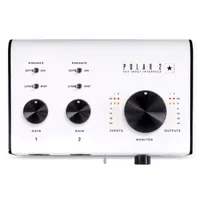
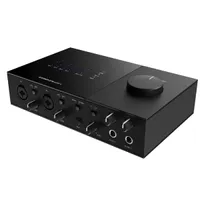
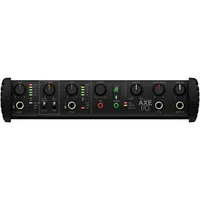
For me, the above interfaces should cover most guitarists needs. That said, I appreciate there's not a one-size-fits all solution out there, so if you didn't find what you need here are some more great options.
How to choose

If you’re struggling to decide which interface to go for, here I’ll use my over 20 years of experience recording to guitar to get you where you need to be. You’ll need to make a few decisions based on your current use case to make sure you get the right interface for you.
1. What do you need?
You can trust Guitar World Our expert reviewers spend hours testing and comparing guitar products so you can choose the best for you. Find out more about how we test.
First of all, you need to think about how many and what type of connections you need. Are you just recording a single guitar with an amp simulator? Then you’ll need an instrument input (Hi-Z) at the very least. Going the traditional route and multi-miking a guitar cabinet? Have a look at something that has multiple XLR connections and phantom power that will let you use your microphones to their true potential.
Most modern interfaces come with both of these connections as standard, but it’s always worth double-checking to make sure you get the right one. In particular, the number of connections is worth factoring in, as you might benefit from more connections later down the line when you’ve got more experience.
2. Read reviews
Once you’ve isolated which audio interfaces have the connectivity you need, it’s time to start delving into reviews. Reviews are a treasure trove of information that you won’t be able to glean from the specs page, so reading far and wide will help you educate yourself on what it’s like to actually live with your potential audio interface.
We’ve reviewed most of the interfaces in this guide here at Guitar World, so our recommendations are backed up by actual use, but checking out how other users have got on with them is always a good move. Just be mindful that user reviews are often quite heavily biased based on whether they’ve had a positive or negative experience, whereas critic reviews tend to be a bit more balanced.
3. Compare specs
If that still doesn’t narrow it down for you, then comparing specs is a great way to help you make a decision. We have a specs comparison section that lists all the key aspects of the audio interfaces in this guide, but depending on what your needs are you may find you need to delve deeper on the manufacturer's website.
4. Choose your retailer
Hopefully, by now you’ve got your chosen interface, so the next step is to decide where you’re going to purchase it from. You might have a favorite already, or perhaps you want to shop around. Google Shopping is a great way to check the prices that are being offered at different retailers en masse, just be mindful that there might be additional charges like shipping or taxes depending on where you’re ordering from.
5. Cash in on a sale
If you’re not in a rush to buy, holding on for a sale can save you a lot of money. There’s plenty of sales action throughout the year on audio interfaces, whether it’s Black Friday and the Christmas period, or events like Presidents’ Day and Memorial Day in the US. With some significant discounts available during these times, it’s definitely worth the wait if you’re not too far away from some of these dates.
If you want the latest guitar gear sales straight to your inbox, make sure to sign up for The Pick: Deals, our weekly newsletter that brings all you all the best deals from across the world of guitar.
How we test

When testing audio interfaces for Guitar World, our writers use two different methodologies. The first is like any product we review, where we look at things like build quality, features, software, and performance. The second is doing dedicated latency testing, which is incredibly important for guitar players, as too much latency can make using an audio interface virtually impossible.
Reviews
When we’re reviewing an audio interface, there are certain things that we look at. Our reviewers are all actual musicians, and none of our reviews is paid for or sponsored. All of our reviews feature opinions that are 100% our own; nobody tells us what to say about a product.
1. Features
The first thing we’ll look at when testing an audio interface for guitar players are the features. Looking at the full feature set gives us a good overview of who the intended audience is for the particular product, and lets us know what kind of guitarist it’ll suit best. This could be how many inputs it has, how many mic preamps it has, the number of outputs, the number of headphone outputs, or any other physical functions of the unit.
2. Build quality
Next, we’ll look at the overall build quality of the unit. We’ll examine every screw, knob, and switch to ensure that it’s been well put together before judging the overall build quality. Is it quite plasticky, or is there a metal enclosure that makes it more rugged? Do the knobs and switches feel flimsy, or are they well applied? Is it so lightweight that a guitar cable will pull it off the desk, or is it light enough you can pop it in a backpack and not feel the weight too much?
3. Software
When examining the software functions of a guitar audio interface, we’re looking primarily at two things. First, is there a companion app that helps operate the interface, and what kind of additional functionality does it offer? Is it easy to find on the manufacturer's website and install? We’ll also look at how well presented the UI is and how easy it will be for guitarists to use.
The second thing we’ll look at is the included software, which is something pretty much every audio interface comes with. Does it offer a good variety of software that will help those who don’t have anything already? Is there extra value for money offered by the software offering that could push you over the edge when it comes down to deciding between two different interfaces?
We’d like to see that all of the basics are covered with the software offering, so a DAW, some utility plugins like EQs and compressors, some creative stuff like reverbs and delays, and some software instruments all score good points with us, as they offer good value for those buying the interfaces.
4. Performance
Finally, we’ll actually use the interface in question to determine how suitable they are to each particular application. We’ll record guitars both straight into the interface with plugins, as well as more traditionally by miking up an amplifier, making note of the performance in each particular use case.
We’ll also examine the features we noted earlier in the process to see how they perform in use and how useful they actually are. During this time, we’ll also check out the listening features like monitor outputs, headphone outs, and any other functionality the interface might offer.
Latency testing

Of course, reviews are very subjective things, so in order to provide a more scientific comparison, I also performed round-trip latency (RTL) testing on every single interface in the guide to provide some objective data. As low-latency performance is so crucial when using a guitar audio interface, having measurable data is a great way to back up the real-world findings of my more regular, day-to-day testing.
If an interface has poor latency performance, you’ll get a delay between plucking the string and hearing the sound come through your speakers or headphones, which can make playing and recording your guitar accurately pretty much impossible.
To perform the testing, I used the Oblique Audio RTL Utility, which measures the round-trip latency of audio interfaces with just a few simple steps. It’s free software, which means anyone can download it and replicate the results I got in my testing. Here are the steps we took to test the interfaces in this guide:
- Download and install the software
- Connect your interface to your computer
- Plug a short cable from input one of your interface to output one
- Select the sample rate and bit depth for your test
- Make sure your gain and output knobs are turned up
- Run the utility
- See your results!
I performed the tests on the same MacBook Air M1 to ensure parity across all the results, but it’s important to note that the specs of your computer will have an effect on the results. Those running older machines may find they’re unable to get the same results I did.
Here are the full results of the testing:

Probably the biggest takeaway from the testing is just how close modern interfaces are in performance. It backs up my claims in the introduction that you can get very good recordings of your guitar from pretty much any modern audio interface, with the differentiating factor being the features an interface has and how it integrates into your workflow.
Read more about our rating system, how we choose the gear we feature, and exactly how we test each product.
Key terms
- ASIO driver: A low-latency driver for Windows users.
- Bit depth: The audio resolution of your recordings. Typically, guitar audio interfaces will record in 24 or 48-bit. A higher number means better quality, but also takes up more hard drive space.
- Bus-powered: Refers to an audio interface that can be powered by your laptop or PC alone. Higher-end interfaces usually need their own power supply.
- Clipping: A distortion caused when a signal is recorded at too high a level. Most often indicated by a red LED or meter in your DAW.
- DAW (Digital Audio Workstation): A software used for recording music. Popular choices are Pro Tools, Logic, Ableton, and Cubase.
- DI (Direct Input/Injection): Refers to capturing the clean sound of a guitar without any color from an amp or effects pedals by plugging directly into the interface.
- DSP (Digital Signal Processing): In this context refers to onboard audio processing on an interface like the Apollo Twin X. Can also refer to amp modelers and guitar plugins.
- Gain: Refers to the input level of a signal. Different from volume, which refers to the output level.
- Instrument Input (Hi-Z): An input specifically designed for instruments like electric guitars and basses. Delivers a boost to the signal to bring it up to line level, making for a better quality recording..
- Latency: Refers to the delay between you playing a note on your guitar and hearing the sound in your headphones. Measured in milliseconds.
- Line input: A 1/4-inch input usually used for guitars, synthesizers, and drum machines.
- Loopback: A way of digitally routing signals from your computer back into your DAW, usually used by streamers and content creators.
- MIDI: Connections for gear like MIDI controllers, certain guitar pedals, synthesizers, and more.
- Monitor outputs: A connection for your studio monitors, usually in the form of a 1/4-inch jack.
- Pad switch: A switch or button that reduces the signal level by a specific number of decibels. Good for taming hotter active pickups or very loud guitar cabinets.
- Phantom power (48V): Supplies power from an XLR input to a condenser microphone or active DI box
- Preamp: An amplifier that boosts or colors microphone and instrument signals. Can be subtle or very distinctive depending on the gear.
- Reamping: A process by which you send an already recorded DI guitar signal out of your interface and back through amps or pedals to change the tone.
- Sample rate: How many times per second your audio is digitally sampled, measured in kHz. Most recordings are done in 44.1kHz or 48kHz, but you can also get 96kHz with certain interfaces.
- Thunderbolt: A high-speed port for connecting external peripherals to your computer. Often found on higher-end audio interfaces.
- XLR input: An input that features three pins, most often used for microphones.
FAQs

Will there be latency when I play through my computer?
This depends on a number of factors. First and foremost, the ability of your interface to handle analog to digital conversion, then the same for your computer, which changes from digital back to analog. It’s less of an issue on Mac computers, but drivers can also play a part in how an interface performs in terms of latency.
Most interface drivers are capable of producing low-latency performance these days, so generally it’s more likely to be your computer that’s the limiting factor. There will always be some small amount of latency, but getting it down below the 5ms mark is entirely possible with a decent interface and modern computer, which will be too short for your brain to notice when playing guitar.
Do I need a DI box?
Unless you’re recording a guitar amplifier and want to capture the direct signal alongside it for reamping, then you won’t need a DI box when using an audio interface. A DI box is designed to convert a line-level signal into a microphone signal, so you’ll typically see them being used in pro recording studios and at live venues.
Why does my guitar sound distorted when the gain is low?
Some guitars, particularly those with active pickups, can drive the input stage of older interfaces too hard, which causes unwanted distortion. This shouldn’t be an issue with a modern audio interface, which typically has a large dynamic range. If you are getting problems, you can use a gain plugin to reduce the incoming signal with your DAW, or use a DI box to drop the signal to a more manageable level.
Do I need multiple inputs?
It all depends on whether you want to record multiple sources at the same time. If you’re miking up a guitar amp, then having multiple inputs will be very useful. If you’re exclusively playing with plugins, a single input should serve you just fine. If you have the budget, two inputs is a nice middle ground.
Can I use my pedals with an audio interface?
Yes, you can use pedals with an audio interface, much like you would with a guitar amp. Simply plug into your pedals as normal, then use the final output of your signal chain to go into your audio interface as if it were your amplifier. You can then use a guitar plugin to emulate your amplifier.
If you use an FX loop with your amp, audio interfaces with line outputs can be used in a similar manner, allowing you to patch in after the amplifier in your DAW and keep your modulations, delays, and reverbs free of amp saturation.
How do I record with an actual tube amp?
There are two ways to record with a tube amp these days. The first is the traditional way, cranking it and placing a couple of microphones in front of it. If you’re recording at home, however, this might not always be possible. In this instance, you’d need to look into getting a good-quality load box to allow you to use your tube amp at lower levels.
Can I use a multi-effects pedal as an interface?
The vast majority of multi-effects pedals I’ve used over the years work as interfaces on their own. Typically, via USB, you can plug them directly into your computer and then use the outputs on the pedal itself for studio monitors or a pair of headphones. It works very well and can be a great way of streamlining your recording workflow.
What is reamping?
Reamping is when you take an already recorded DI guitar signal and run it through a guitar amp in order to change the tone. When recording in studios, most times, engineers will capture a DI signal of your guitar take using a DI box. They can then run this out of their audio interface and back into a guitar amp, capturing the exact same take as if it were being played through a completely different amplifier.
Will a USB hub affect my latency?
It may not directly affect the latency performance, but a USB hub can definitely affect the signal quality and result in ‘cracks’ and ‘pops’ in your sound. I would always recommend plugging your audio interface directly into your computer, but if you have to use a USB hub, go for one with its own power supply in order to ensure delivers stable voltage for your interface.
