


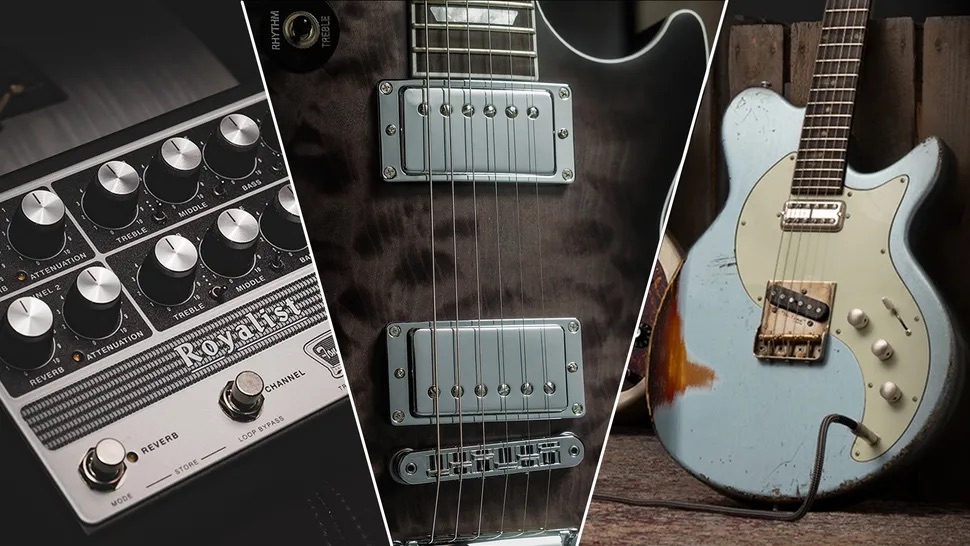


Guitar World Verdict
At long last, a DAW puts the guitar at the very heart of its operations, while packing it with versatile, high-quality amps and effects, and a swathe of songwriting and band-life-assisting features built for the creative guitarist’s everyday.
Reasons to buy
- +
Really easy to use.
- +
Built-in plugins are great quality.
- +
Recordings to MIDI conversion is a next level tool for creativity.
Reasons to avoid
- -
Search features within the Mustang and Rumble amp sims would be great.
- -
Customizable parameters on the Channel Overview would also help workflow.
- -
Extract Notes and Notation features are impressive, but struggle with lower registers.
You can trust Guitar World Our expert reviewers spend hours testing and comparing guitar products so you can choose the best for you. Find out more about how we test.
What is it?
Although it has owned PreSonus since 2021, Fender’s consolidation of the affordable gear and software firm – rebranding its DAW, PreSonus Studio One Pro, as Fender Studio Pro 8 – marks the Big F’s boldest statement of intent yet.
Coupled with the launch of Fender-branded motion controllers and interfaces, the new-look software represents a huge shakeup in the home and professional recording spheres, making it the first guitar manufacturer to have a product of its kind. It hopes it will give it the extra firepower needed to compete with industry leaders like Apple’s Logic Pro and Steinberg’s Cubase. As Fender told Guitar World at its launch, this is all the delights of Studio One Pro with Fender’s “special sauce” to boot.

Sweetening the deal are two big pulls: Unlike Logic Pro, the software isn’t exclusive to Apple, and, to celebrate the rebranding, Fender has chucked a glut of virtual Fender amps and pedals into the software as standard. To be exact, there are 39 guitar amps, 18 bass amps, alongside 125 modelled effects pedals, meaning many players wouldn't even need to fire up their go-to plugins when searching for a specific guitar tone.
Following the October 2024 launch of Studio One 7, which introduced AI-powered tools like stem separation, Global Transpose, and tempo detection, Fender Studio Pro 8 gets a clean aesthetic and workflow refresh, along with other key features, including Studio Verb, a reverb effect with different room modes and a spectral display.
The new-look software represents a huge shakeup in the home and professional recording spheres
There's also a great consideration for how the software will be used with every session. Chord Assistant is another new tool, recommending chords to users as they thrash out ideas, which will be welcome news to those with second-rate theory knowledge, and an AI conversion tool for turning audio files, be they recorded or imported, into editable MIDI notes, and notation software making for a powerful one-stop-shop.
Notably, NAMM 2026 saw a near comical amount of firms introduce new recording interfaces, aimed at everyone from amateur podcasters and budding bedroom musicians through to the top brass of producers. That emphasizes how big the home and studio recording market is now, and how much it’s expected to grow. So, by sticking its instantly recognizable logo front and center, and throwing even more quirks and perks into already powerful software, Fender is bidding to stay ahead of the curve.
The question is, does this make Studio Pro 8 the arch nemesis of Pro Tools and Logic Pro, or is this more of the same with a new coat on?
Specs

- Price: $199.99 | £169.99 | €199.99 (perpetual licence) $19.99 | £19.99 | €19.99 (monthly)
- Type: DAW
- Features: Full DAW recording suite with 39 guitar amps, 18 bass amps, and 125 modelled effects pedals. Also: Notation, Chord Assistant, and recordings to editable MIDI conversion
- Connectivity: Inputs, outputs, full MIDI and expression pedalboard compatibility, and an onboard effects loop for the Mustang and Rumble amp sims
- Bypass: True, buffer, both (switchable)
- System Requirements: macOS® 13.5 (Ventura)**, Windows 11 22H2 or higher, or Ubuntu 24.04 LTS or higher, incl. its derivatives. 8 GB RAM minimum and 40 GB hard-drive space.
- Contact: Fender
Usability

Usability rating: ★★★★½
The entire workflow process is extremely streamlined and intuitive
Fender’s modus operandi with Studio Pro 8 is for a DAW ecosystem that puts the guitar at its heart, and so pretty much every detail is built with that in mind. The general workflow leverages a signal chain-like system, with its new Channel Overview panel, giving a snapshot of what’s going on.
One thing I love is that here, simplified versions of .plugins are displayed with a universal black metallic aesthetic. So, if I want to edit my amp sim, I can do so without having to load the full plugin up. Right-clicking on a certain parameter, meanwhile, allows me to get straight into automating it. The entire workflow process is extremely streamlined and intuitive. Everything sits where it belongs, and nothing is hidden away behind reams and reams of menus and sub-menus.
The only issue I found with the Channel Overview is that, say with a Neural DSP amp plugin, the controls it displays, which include Input Gain, Doubler, and Transpose, are a little limited. Editing the amp's three-band EQ and accessing the overdrive pedal before it requires loading the amp properly.
For Fender’s native plugins, like the Pro EQ, I actually get a more intuitive interface with the EQ curve visible and editable in real time. For the Mustang and Rumble amp sims, I can see the plugin itself, just in a smaller window, but nothing is editable until the plugin loads. It's a useful feature that is a little disappointingly underutilized.
As someone with years of video editing with Adobe Premiere Pro, I found the workspaces and general setup to be incredibly similar, especially with the browser menu, which is split into categories for instruments, effects, loops, Splice (to access its Splice library integration), and internal and cloud-stored files. All are designed with drag-and-drop functionality in mind, and I frequently found myself doing things instinctively, not needing the instructions to guide me. It’s pretty novice-friendly.

Altering everything from tempo and time signature changes to volume automation work via key frames, which is another feature to compound the Premier Pro comparisons. I can click and drag, meaning I can have hyper-specific tempos like 120.45bpm, or I can manually input the information, which is the method I went for to keep things tidy.
I did encounter a few bugs along the way, including the tempo displaying a change when one wasn’t programmed in, although this didn’t actually affect the audio. But on the tab generation feature – a genuine life/timesaver – it added a load of messy and irrelevant tempo changes to the page.

The quickest way to get set up working on a project from an external source is by dropping a MIDI track into the project’s ruler, which then provides the relevant tempo/signature information, and populates tracks as they were named elsewhere.
A search function with the amps and cabs would be a great benefit
Another great feature is Replace within the Mustang and Rumble amp and effects suite. If I’ve picked my amp and now want to shoot out a range of fuzz pedals to go before it, clicking Replace when the pedal is selected allows me to then cycle through the range of options, making it really easy to find the fuzz for me.
A search function with the amps and cabs would be a great benefit, though. Swiping from one end to the other can be a laborious task; typing ‘Vox’ into a search bar would be a huge time saver.
Finally, stem separation and notation features are definitely useful, but they aren't perfect. One track I fed into it didn't separate the two guitar tracks, so counterpoint parts were a little messy in the MIDI scroll, and it really struggles with lower-tuned guitars. But it still represents a decent time saver.
Sounds

Sounds rating: ★★★★½
From a Princeton to the warm and welcoming vintage grit of a ’59 Bassman, the amps are as classy and versatile as I could ever want their digital twins to be
Fender Pro Studio comes with a lot of free instruments and plugins, but naturally, it’s the guitar amp suite that draws me in. After a very quick trawl through its pretty vast collection of amps – which is far from exclusive to Fenders – it’s clear that what I get here is a hefty sample of the Tone Master Pro’s sonic delights, and there’s a lot to love.
The Fender Twin combo is, unsurprisingly, a wonderful pedal platform, its clean, neutral tones easily mouldable to being a shimmering ambient tone with smatterings of delay, reverb, and a pinch of chorus, or kicked into gear with an overdrive; I particularly like the Tube OD for having switchable 12AX7 and 12AT7 tube sims. Other classic Fender flavours, from a Princeton to the warm and welcoming vintage grit of a ’59 Bassman, are pretty convincing, but not the best amp sims I've ever heard. For me, the most fun was had messing with the surprise additions, and they’re all very responsive to my pick attack.
Amongst them is the Excelsior, the wacky-looking, retro-futuristic combo Fender brought out in 2012 as part of its "Pawn Shop Special," and its caked in ‘50s edge-of-breakup, bright, spanky, but not without a bit of balls kind of tones. I went from zero to Dave Davies on a Charvel San Dimas, even with its Fishman Fluence humbuckers set on the modern voicing. Cranking the gain also gives that ‘cracked speaker’ sound and then some.

Upon discovering there were both a Vox AC30 and a Rangemaster-style treble booster, my excitement peaked, and dialling in a tone akin to Rory Gallagher's Shadow Play was quick, easy, and made pinch harmonics an utter delight.
What I did find was that the metal offerings, from its takes on the 5150 and Bogner Uberschall, were a little cliché; they’re geared for classic rather than modern metal. They had Gain galore, but as someone who likes a warmer rhythm tone, it was hard to dial that in without getting too fluffy. The Friedman BE-100 was the pick of the bunch for me here, and I had some success pushing a rockier amp like an ‘80s Marshall, but I can't see these amps getting much use when I have Neural DSP offerings right there instead.
There’s a lot to explore, and I found the bar to be high wherever I tinkered
Effects-wise, there is so much to get lost in, with personal highlights including the presence of a Big Muff, Memory Man Delay, and an EG7 Graphic EQ, in lieu of the amps having EQs as standard, which is something I'm really accustomed to with Neural DSP plugins.
I’d also like to give a quick shout-out to the Studio Verb plugin, which brings incredible, immersive reverbs to the fore, offering a little more Pink Floyd etherealness to whatever tones I dial in.
There’s a lot to explore, and I found the bar to be high wherever I tinkered. There aren’t any bad amps, pedals, or cabs per se, and even if there aren’t mic sim options for the cabs like on a lot of competitor plugins, there is plenty of scope for pretty much all genres I could think of.
Verdict

At long last, a DAW puts the guitar at the very heart of its operations, while packing it too with versatile, high-quality amps and effects, and a swathe of songwriting and band-life-assisting features built for the creative guitarist’s everyday.
It gives me everything I need to create and demo my ideas, with the new features designed to get to the heart of the matter
At its core, it gives me everything I need to create and demo my ideas, with the new features designed to get to the heart of the matter, for speeding up boring processes while writing and collaborating with bandmates, with the chord assistant, Notation integration, and recordings-to-MIDI conversion being the standouts there. Sure, there are teething issues, but it's a big step forward to giving guitarists a catch-all toolkit for everyday.
Admittedly, there are a few features and functions that would be nice, like searching within the Mustang and Rumble amp sims, but with a really intuitive, drag-and-drop workflow and a finely assembled toolkit, for me at least, it's goodbye Reaper, hello Studio Pro.
Guitar World verdict: At long last, a DAW puts the guitar at the very heart of its operations, while packing it with versatile, high-quality amps and effects, and a swathe of songwriting and band-life-assisting features built for the creative guitarist’s everyday.
Test |
Results |
Score |
|---|---|---|
Userability |
Built on a really welcoming and intuitive interface, it's easy to get accustomed to. |
★★★★½ |
Sounds |
Versatile and high-quality amp sims and AI features, but just a step below top-of-the-range. |
★★★★½ |
Overall |
A guitarist's DAW, it feels we're truly accomodated for here, and many teething issues are likely to be addressed with future updates. |
★★★★½ |
Hands-on demos
Fender
Chris Rocha Canal


