



Guitar World Verdict
In a world where streaming is king and few people own the music they listen to, the JBL BandBox Solo’s ability to conduct stem separation from a streamed Bluetooth source is incredibly useful. Combine that with decent guitar sounds, an ability to take a mic input plus a host of other practice utilities, and it all adds up to what will be, for many, an invaluable practice tool.
Pros
- +
Stem separation over Bluetooth without the need for a native file.
- +
Great sound for a small speaker.
- +
A fully tweakable, eight-block modeled guitar rig.
- +
Fully featured practice tool.
Cons
- -
Stem separation works well, but not perfectly.
- -
Other practice amps at this price point have better guitar sounds.
You can trust Guitar World Our expert reviewers spend hours testing and comparing guitar products so you can choose the best for you. Find out more about how we test.
Guitar World Video Demo
What is it?
When you're learning the guitar, the fewer barriers there are between thinking about playing and actually picking the thing up, the better. Back in my teaching days, I would always advise students to have a guitar sitting ready, plugged into a practice amp, and good to go whenever you find yourself with a few spare minutes. It’s the same for learners and accomplished players alike - the more convenient the act of practicing is, the more likely we are to actually do it.
There are a host of tools to help with this; some are great, some are, frankly, a waste of time. In my hands for review is the JBL BandBox Solo. This is a practice tool that should fall into the former of these categories as it has a list of useful features that, if they all work well, will make it a handy practice aide for those starting out on their guitar journey, as well as experienced players looking to level up their skills.
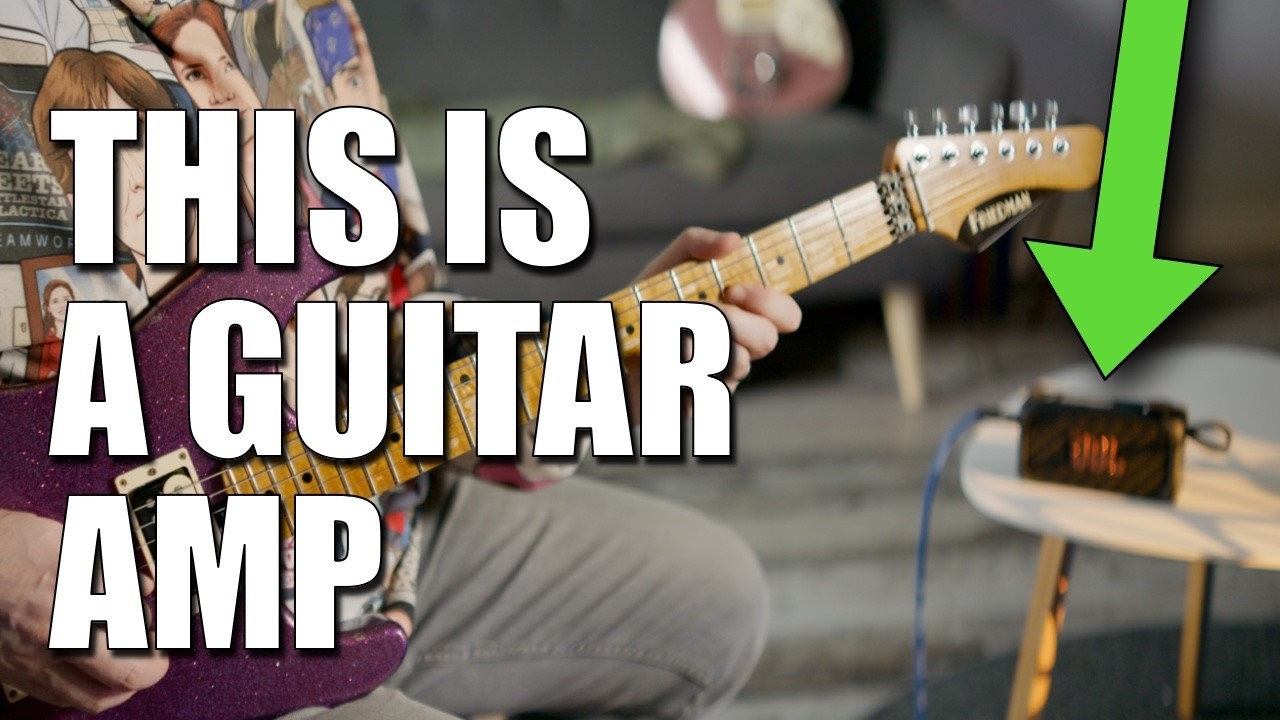
It is essentially a little guitar amp and Bluetooth speaker, with the ability to separate stems from a piece of music. By this, I mean breaking a song down and taking instruments out, leaving only what you want to hear. Great for isolating instruments for learning the parts, or removing them so you can play along with the song.

This, on its own, is nothing new. Peter Jackson’s “de-mixing” on Get Back is perhaps an example of the technology at its best, but apps like Moises and DAWs like Logic have been able to do stem separation for a while. Generally, however, these apps require the user to have the actual file to hand.
What makes JBL’s offering interesting is the ability to do this in real time over Bluetooth. Meaning, for example, you can load up a music streaming service on your mobile device, connect to the BandBox over Bluetooth, and it will separate stems for you as you stream.
That will perhaps be the most common use case, but any device that can connect to the JBL and transmit any audio over Bluetooth will be able to utilize its tech.
This live stem separation is the headline, but it’s the additional utilities that make it a fully fledged practice tool. These include a metronome, drum machine, looper, pinhole microphone for singers, USB recording capability, and a tuner.
To facilitate this, we have a quarter-inch input for a guitar or bass, an eighth-inch headphone output for silent practice, a 2.25” speaker when you want a little volume, plus Bluetooth, and USB-C connectivity. Furthermore, as well as the pinhole microphone, that quarter-inch input can also be used for a mic if you have the right connection type.
So, a potentially powerful ally in sharpening those chops.
Specs

- Launch price: $249 | £199 | €229
- Type: Practice amp and Bluetooth speaker
- Origin: China
- Output: 30W RMS
- Speaker: 1 x 2.25” full range
- Features: Bluetooth streaming, 8 block guitar rig, Stem AI stem separation, audio interface
- Connectivity: ¼” input, pinhole mic, USB-C, and Bluetooth connectivity
- Weight: 1lb 3oz/543g
- Dimensions: 8.3”x4.2”x3”/210x106x76mm
- Contact: JBL
Build quality

Build quality rating: ★★★★½
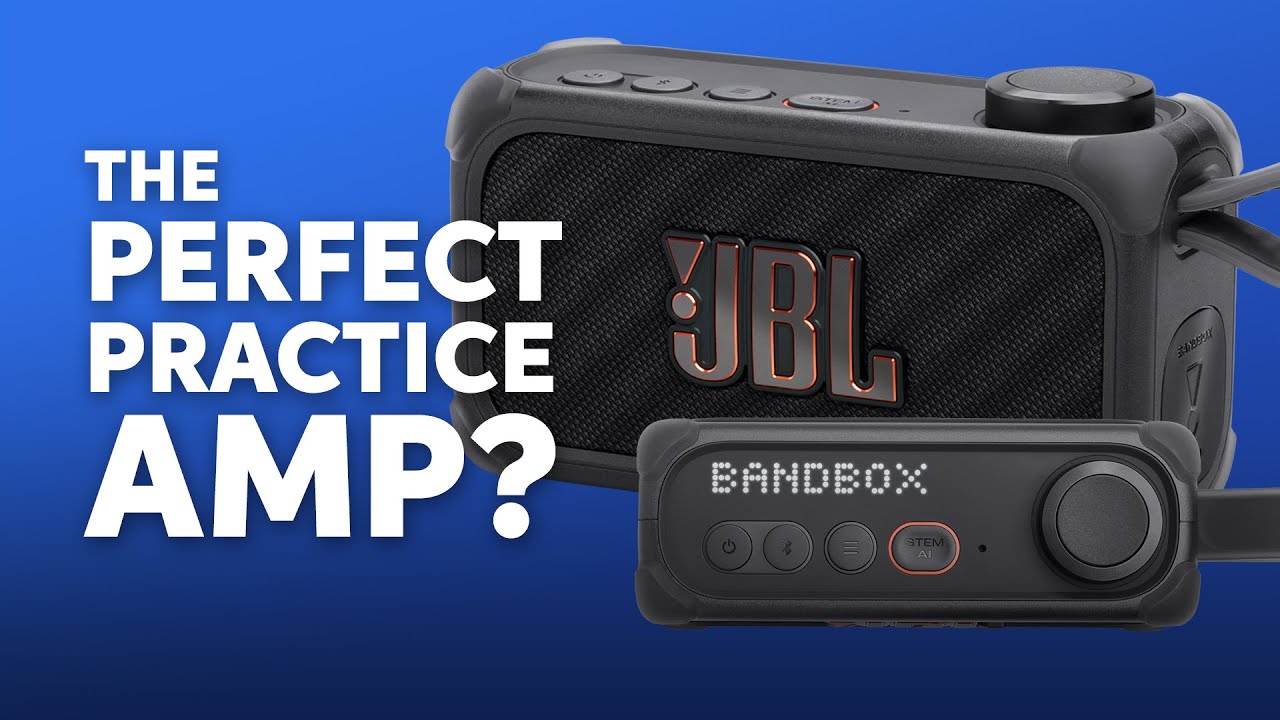
Considering its diminutive size, the BandBox Solo is a hefty little thing, with this particular example coming in at 543g. It’s a plastic construction, which means it doesn’t exactly have a premium feel, but the sides are thick, with protective rubber corners that round off what is a generally sturdy impression.
JBL is widely known for making speakers, and that experience is apparent here, particularly in the buttons and rotary knob that adorn the top panel. The rotary knob has a nice click to it as you rotate, and it also works as a button with a pleasing textured finish.
There are four other buttons here to turn the device on and off, pair Bluetooth, access the menu, and activate the Stem AI (stem separation). We’ll get into all their functions later, but for now, the point is they all feel solid under the fingers.

It’s got a nice, thick rubber carrying handle too. I don’t really know why, as the speaker is small enough that the handle feels a little superfluous. If anything, it’s easier just to wrap your hand around the chassis, but there’s no harm in having it.
The display consists of a white LED pixel screen that is integrated seamlessly into the top panel and is clear and easy to read.
It’s a relatively plain appearance when turned off, with just black and the odd splash of orange. But those integrated LED’s lend an element of modernity to an otherwise minimal aesthetic, making for a pretty sleek look when in use.
Usability

Usability rating: ★★★☆☆
To get the most out of the JBL BandBox Solo, you are going to want to download the JBL One app. Often, apps that rely on a Bluetooth connection can be a bit sticky - the Bluetooth in my car frustrates me at least twice a week - but the BandBox is problem-free in this regard.
The connection remained reliable and stable throughout testing, and the app succinctly takes you through the setup, making getting the speaker up and running a pleasingly straightforward process. Within two minutes of downloading the app, I am happily streaming music to the speaker via my phone.
With this done, let’s get straight to the main selling point of this bit of gear - the stem separation. This is highlighted in orange in the app, and after clicking it, I am taken to a menu which shows me three faders - one for guitar, one for vocal, and another labeled “Others”.
The operation is simple: turn the stem separation on and then tweak those faders to remove or isolate the guitar, vocal, or other instruments. Easy. It’s worth reiterating here that the BandBox is not doing this with a pre-uploaded file - it’s doing it almost in real time as I stream from Spotify.
I say almost in real time, as to facilitate this, the software introduces a slight offset of a few seconds to allow itself a chance to do that processing. So if you press play or pause on the mobile device you are using, there will be a little delay before that action is carried out.
However, the audio responds to the faders on the app immediately, which makes them feel smooth to use.
As for how well this all works, it’s not perfect, but it is useful. Focusing primarily on the guitar, I start by attempting to remove the guitar parts from Audioslave’s Show Me How To Live. It initially does a great job of leaving me with just bass, drums, and vocals. But, as the song plays, it’s clear that the software is prone to tripping up a bit and briefly reducing the other instruments every few bars.
It also sometimes takes a second to recognise new guitar parts as they come in and out. Solos, for example, will often briefly poke through before they are removed.
In a highly produced track, it tends to struggle more. Playing through Mr. Brightside, for example, and asking the BandBox Solo to remove both the vocal and guitar, the already highlighted issues were present, and additionally, at the climax of the song, it started periodically reducing cymbals and other aspects of the drums too.
When isolating individual instruments to play on their own, the BandBox does it well enough that if there is a buried guitar line that is tricky to hear, the isolation is helpful for figuring the part out.
It is a little compromised when doing this, in that it sounds like the audio is coming through a badly set noise gate, with the initial attack suppressed before being quickly faded in.
These issues are commonplace for stem separation tools. Moises, for example, also trips up in similar ways, but suffers from these problems marginally less than the JBL BandBox.
But again, we are not really comparing apples to apples here, as those apps generally need an uploaded file, whilst the BandBox Solo has the much harder task of doing this processing live. This is a worthwhile compromise, as nowadays, the majority of people are using streaming services and don’t actually own files to upload.
There are a couple of other things that stop the use of the BandBox from being an entirely smooth experience. First, there’s a lot more volume from the guitar input than there is from the Bluetooth input. Or at least that is the case with my Google Pixel 9 and the PJD Carey Standard I’m using for testing.
To get a good balance as I play along with songs, I’m running the guitar volume in the app a lot lower than the Bluetooth volume, or I’m going into the guitar preset options and reducing the volume there.
And there is also no master volume. This is a pretty big oversight, as it makes it tricky to turn both the guitar and Bluetooth audio up or down together while maintaining that balance that was awkward to set in the first place.
Aiding in supporting those practice sessions are the tuner and metronome, which both sport bright, easy-to-understand menus that are straightforward to use. Similarly, the drum machine works just like the metronome, but allows for adding a drum beat by simply selecting one of the 11 available from the menu situated below the tempo wheel.
The looper is surprisingly easy too. A big red button starts the loop, then is pushed again to end it. You can record your loop to a built-in metronome or drum machine (with a count-in), which will keep you in time.
As, obviously, I need my finger to push the button to start the loop, the metronome or drum machine is a necessity so as to avoid a gap at the beginning, as you transition your hands from the screen to the guitar.
Rounding off this feature-packed product are the built-in guitar rigs. There are 26 to choose from, which can be easily edited through the highly visual user interface.
Each preset consists of eight blocks, and these are tied to an effect type. For example, the amp block will always be an amp, but the user can define which amp it is, and tweak Drive, Bass, Mid, Treble, and Volume through large scrolling wheels that appear when the parameter is clicked.
What was a little strange about those wheels, however, is that scrolling down increases the parameter value and scrolling up decreases it. This, to my frustration, caught me out a number of times.
I’ll dig into how good the sounds are later, but for now, there is a surprisingly full complement of them, and they are easy to edit despite my frustration with the scrolling direction.
The top panel of the speaker can also be used to control the stem separation, select one of six user-defined guitar presets, and control volume. This is done through the LED screen and the Stem AI button, a menu button, and a large, clickable wheel.
Managing the Stem AI tech via the panel is a bit more laggy than on the app, as it can sometimes take a second for the audio to catch up. Also, the menu scrolls between instrument preset selection and one of either the instrument volume or Bluetooth volume, depending on what was last adjusted within the app.
This makes things a little awkward to do from the top panel. But given that streaming audio obviously requires a device of some sort, the app will always be to hand, so it’s best just to use it instead.
The last thing that is present on the top panel is a little pinhole microphone. This is great to have, but on something that is geared towards singer-guitarists, as JBL’s promo video would suggest, I would expect either an XLR or at least a second ¼” input for a microphone, as the pinhole mic obviously picks up a fair bit of guitar too. Not a problem in an acoustic setting, of course, but a little annoying in an electric one.
The guitar and vocal input can also be recorded via the USB connection, which is handy for analyzing your practice and recording quick demos.
Sounds

Sounds rating: ★★★★☆
Bearing in mind that the Bandbox is equipped with just a single 2.25” speaker and has an output of 30W RMS, it sports a decent amount of volume. It’s obviously not going to keep up with a drummer or cover music streaming duties for a busy house party, but it has more than enough volume to fulfil its remit as a solo practice tool.
Generally speaking, these types of devices make a compromise in bass response for the sake of portability, and this is the case here, but not as much as you might expect. Playing Franz Ferdinand's Take Me Out, that driving pulse on the low E is more present than it has any right to be on such a small unit.
It’s missing a bit of beef in the low mids, and the highs aren’t quite as defined as they would be on bigger devices, but for its size, it’s an impressive little thing.
The pitch shifting does exactly as it promises, and does it well throughout the whole of the ten semi-tone range (five up, five down). It shifts the key of the Bluetooth audio, but not the guitar, which I feel is the correct choice for a practice tool.
For example, at the time of writing this, I happen to have a gig that requires me to play Sweet Child O' Mine in C (one semitone down). Shifting the pitch of the song allowed me to practice along with it in the key I was to be playing it in come the gig, which is very handy.
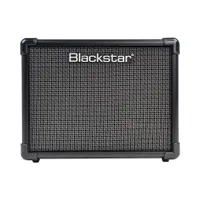
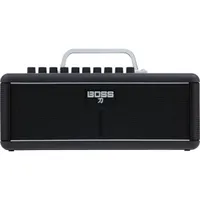
The guitar sounds follow a similarly impressive vein, in that I would generally expect them to sound a little on the thin side on such a small speaker. While the Bandbox Solo is not going to compete with slightly bigger practice amps such as the Blackstar ID Core range or Boss Katana-Mini options, it packs an impressive amount of punch for something so tiny.
As already mentioned, we have an eight-block signal chain to play with. The blocks are pre-set to Gate, Compressor, Wah or Drive, Amp, Cab, Modulation, Echo, and Reverb.
There are two noise gates, one compressor, two wahs/one drive, eight guitar/one acoustic/two bass amplifiers, ten guitar/two bass cabs, nine modulations, five echoes, and one reverb.
Presets can’t be built from scratch, but there is the ability to tweak the factory options and then save them separately as your own presets. The factory presets consist of 22 guitar, 2 bass, and 2 acoustic. They range from Purple Rain-style dreamy cleans to all-out modern metal.
Personally, I am loving the Pop Clean preset, which utilizes a Fender-style amp with some lovely chorus, echo, and reverb. It is a complete joy to use along with some laid-back, lush chords.

The chorus adds a dreamy texture, while the echo and reverb bring some ambience that, when tweaked, can easily get into elongated shoegaze territory. And they do this without washing out the original guitar tone or sounding too separate from it. It’s a genuinely good ambient sound.
Another highlight is the High Gain Lead preset. This is, as the name suggests, a saturated, mid-forward tone with tons of sustain, great for ripping some shreddy solos. It’s initially a little dry, so I'm adding echo and reverb to create some space. And then an Echo Phase to help with some Van Halen-type sounds, which proves to be a lot of fun.
This preset uses a JCM 800 model and pushes it with a ‘Precision Drive’. This is the only drive on board, which strikes me as an odd limitation, as most would like to see some Blues Breaker-style or Tube Screamer-esque options here.
Perhaps the saving grace is that the amps range from Fender Clean to Marshall Crunch to Peavey Distortion, so there are plenty of drive tones to choose from within the amplifiers. The intention is obviously to use the Precision Drive to then push these amps further, which it does well. It pushes clean sounds into mid-focused crunchy leads, overdriven amps into sustaining distortion, and distorted amps into gloriously saturated heaven.
Guitar sounds are not the only thing on show here, as we also have scope to hook up a microphone if your mic has a ¼” connection or you use a converter. If you are short of these, however, the Bandbox includes a pinhole microphone on the top panel too.
The pinhole mic is fun to use, although a set of headphones is needed in order to avoid feedback. The sound is surprisingly full and comes with Reverb and Delay.
These effects are minimalistic in that each only has one meter to adjust the amount you want. Raising the level of the Delay increases the delay time and mix (feedback seems set to roughly seven repeats), and raising the Reverb increases the length and mix.
It’s fairly simple, but both wrap the vocal in a comfortable space without getting in the way of the original signal throughout the full sweep of the effect. Very usable, and a great practice tool, particularly if you are frequently required to sing using in-ear monitors.
Verdict

The JBL Bandbox Solo is an interesting bit of gear. The stem separation technology does not work perfectly; it’s not the best-sounding speaker you will ever hear, and it is not the best guitar practice amp either. But, despite not being the best option in these individual aspects at this price point, the Bandbox still does all of these things to a decent standard.
What is notable is it’s ability to separate stems from a Bluetooth audio source, rather than requiring an actual song file in the way that apps like Moises do.
And then, we have the mic input, metronome, drum machine, pitch shifter, recording capability, and more. It’s when we consider this package as a whole that the price begins to make sense, as all of these things together make the JBL Bandbox an enticing proposition for all who would regularly use these tools whilst putting in the practice hours at home.
Guitar World verdict: In a world where streaming is king and few people own the music they listen to, the JBL Bandbox Solo’s ability to conduct stem separation from a streamed Bluetooth source is incredibly useful. Combine that with decent guitar sounds, an ability to take a mic input plus a host of other practice utilities, and it all adds up to what will be, for many, an invaluable practice tool.
Test |
Results |
Score |
|---|---|---|
Build quality |
It's not exactly a premium feel due to the plastic construction, but it's a sturdy build for home use. |
★★★★½ |
Usability |
With a few things that stop the user experience being smooth such as the awkward balancing of inputs, it could be smoother here. |
★★★☆☆ |
Sounds |
Surprisingly full sounding for such a small speaker. |
★★★★☆ |
Overall |
Considering all of the features together makes for a handy practice tool. |
★★★★☆ |
Also try

Hands-on videos
Sweetwater
EytschPi42
JBL

