

Guitar World Verdict
Sporting Fractal's renowned Cygnus X-3 amp modeling, the AM4 is a very capable, compact modeler at home on any professional pedalboard. The modeling is backed up with an expansive selection of highly tweakable effects, and at a relatively competitive price point to boot. The compromise is that it is not the easiest to use; however, in this case, the manual diving is well worth it.
Reasons to buy
- +
Fractal’s Cygnus X-3 amp modeling as found in flagship Axe-Fx III.
- +
The most affordable hardware in Fractal's range.
- +
Excellent selection of effects.
Reasons to avoid
- -
No XLR out.
- -
A little tweaking is needed to get the best from it.
- -
A bit of a steep learning curve compared to other modelers.
You can trust Guitar World Our expert reviewers spend hours testing and comparing guitar products so you can choose the best for you. Find out more about how we test.
What is it?
There is no denying the influence that Fractal has had on the guitar amp modeling world. Launching its Axe-Fx rack system back in 2006, it was one of the earliest companies to market an amp modeling product towards professional guitar players. As relevant now as it was then, the Axe-Fx series is well into its third iteration with the Axe-Fx III, and Fractal’s lineup has grown to feature floorboards such as the FM9 and miniaturized versions of the technology like the FM3. Now, the US company is looking to capture a different part of the market with a more affordable take on the influential technology in the form of the compact AM4 - which coincides with the launch of European distributor G66's new UK warehouse, meaning UK-based players can now buy direct from G66 more easily.
This relative affordability does not mean that the AM4 is compromised when it comes to tone, as it’s running the same Cygnus X-3 amp modeling and Dynacabs cab emulation as the Axe-Fx III. The saving is in the available blocks in the signal chain, as each preset is limited to four. However, this is not as restrictive as it may sound.

Each block can support four different models that can be gaplessly switched between, meaning that up to 16 effects can be stored and used in a single preset. I’ll explain more about how this all works later, but for now, the key takeaway is that the AM4’s compact nature, in addition to its relative affordability and power, makes for a hardware release with the potential to, once again, have a serious impact on the modeling world.
But it is not alone. Competition from the likes of Line 6’s HX Stomp, Neural DSP’s Nano Cortex, and IK Multimedia’s ToneX also offer compact, relatively affordable, and professional solutions, meaning that Fractal will need to bring its A game if the AM4 is to meet the high value standards set by its rivals.
Specs

- Launch price: $699 | €925 | £789
- Type: Amp modeler and multi-effects
- Features: Cygnus X-3 amp modeling, DynaCabs cabinet emulation, Amp Mode, 4 effects per block
- Connectivity: MIDI, USB-C
- I/O: Two balanced ¼” TRS outputs (L and R), one ¼” instrument input, stereo TRS effects loop, ⅛” headphone output, two expression pedal inputs, ⅛” MIDI in and out, USB-C, SPDIF in and out
- Power: DC barrel jack, centre negative, 1.5A
- Dimensions: 255mm x 160mm x 59mm / 10”x 6.2”x 2.3”
- Weight: 1.63kg/3lbs 9.5oz
- Contact: US: Fractal UK and Europe: G66
Build quality

Build quality rating: ★★★★★
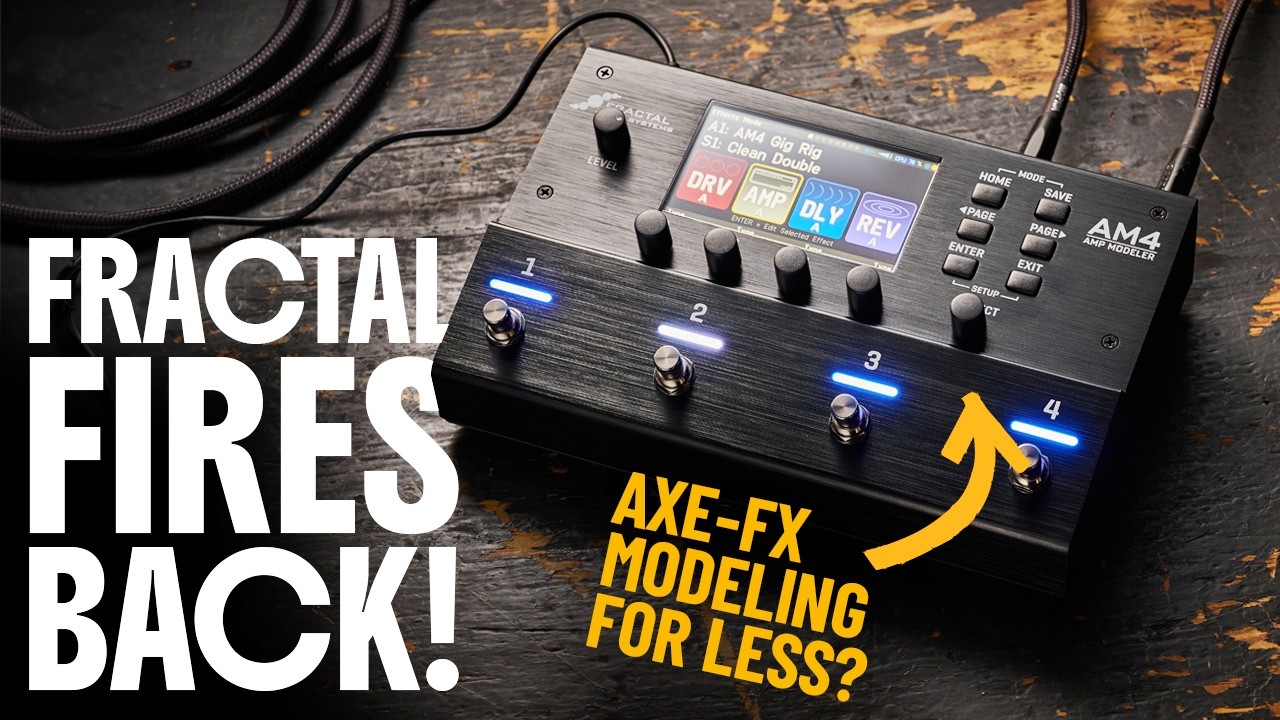
With its sturdy, brushed-aluminium chassis, the AM4 is ready to take on a busy gigging life. Adding to this is a nice heft to the footswitches and knobs that move with a resistance that confidently suggests longevity.
The I/O that features a ¼” input, left and right ¼” outputs, a TRS stereo effects loop (one TRS in and out), ⅛” headphone out, two ¼” expression pedal inputs, SPDIF in and out, USB-C connectivity, and then the standard 9v centre negative DC input with a 1.5A power draw.
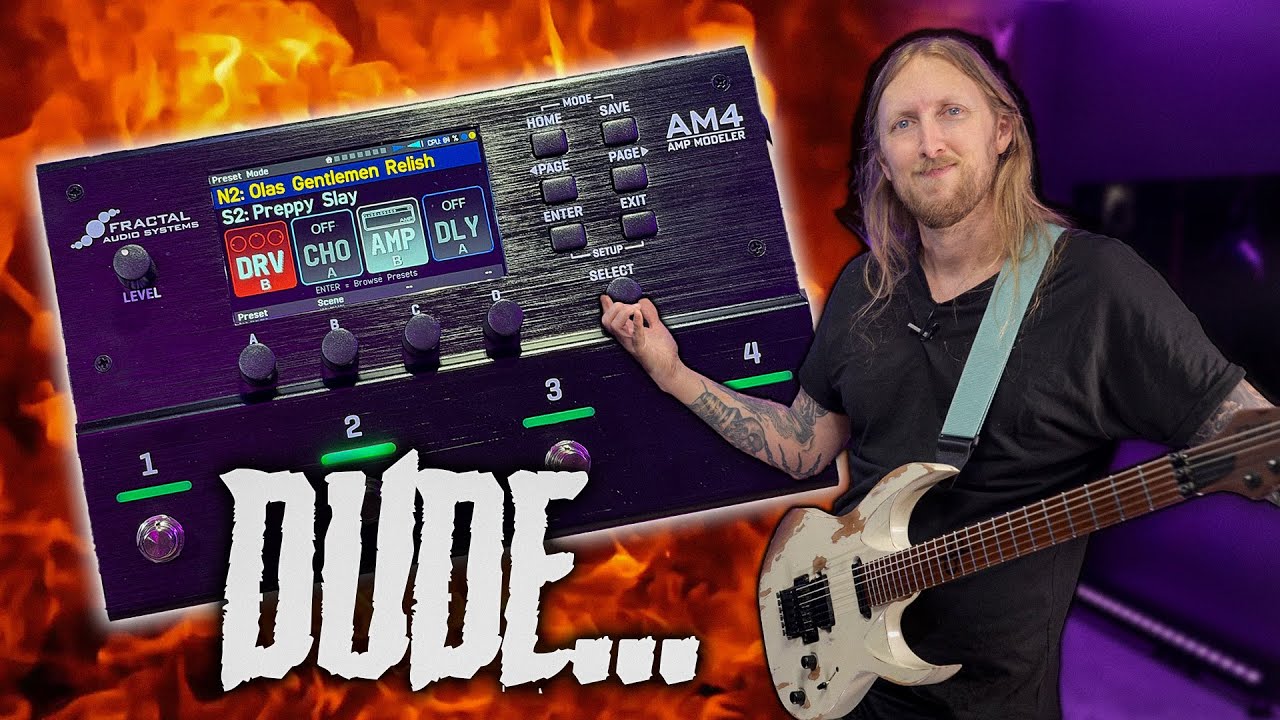
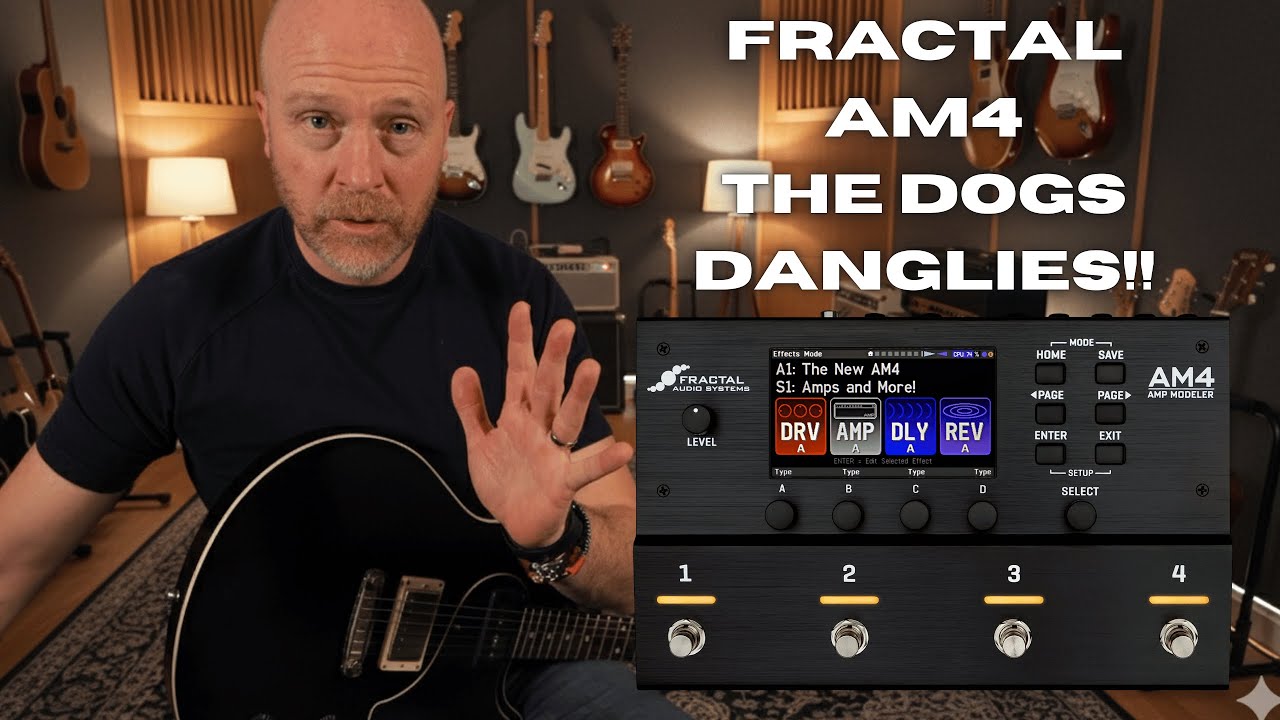
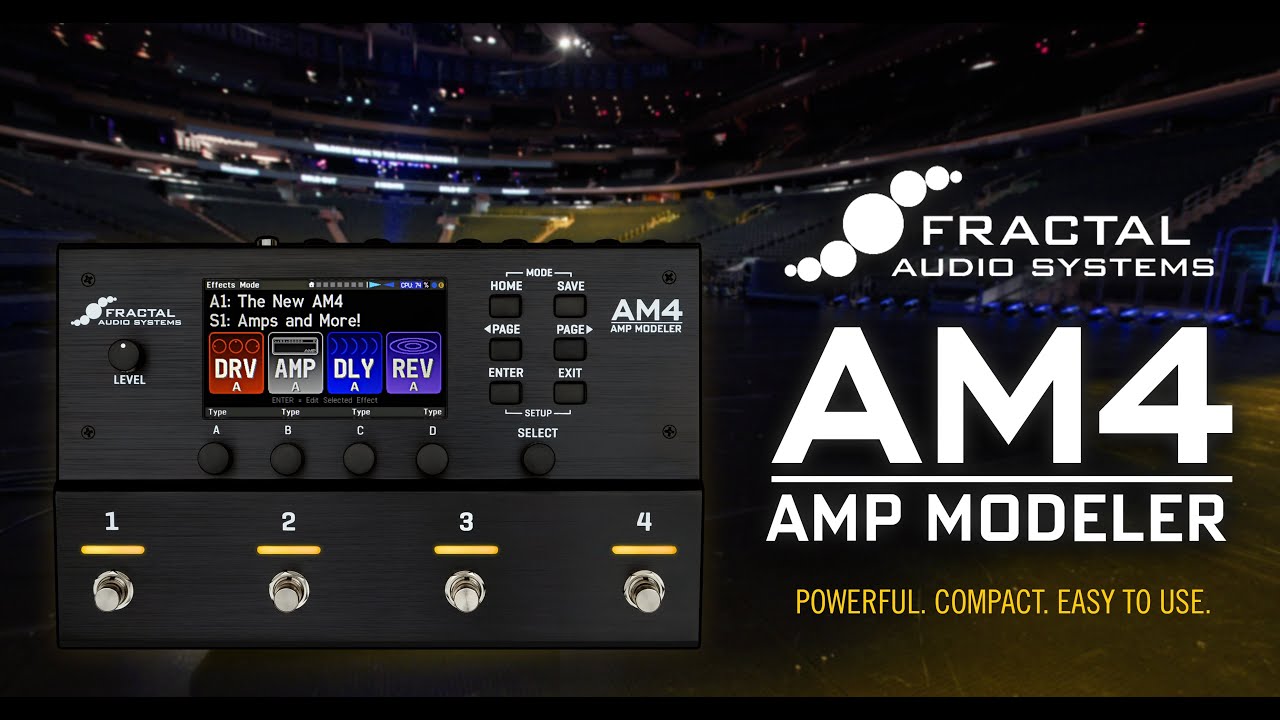
The 6.3” screen is more than bright enough to avoid getting lost under stage lights, and the LEDs above each of the footswitches follow suit. Those LEDs also bring a little color to what is a pretty minimalist aesthetic, but one which I reckon looks pretty sleek.
As far as build quality goes, it really is flawless. Practically and aesthetically, the slanted area for the footswitches will be a welcome feature for players as the angle does help with visibility when in front of the AM4 and slightly quicker changing with your feet.
Usability

Usability rating: ★★★½
With great power comes a great many options. Trying to present these in a compact package can sometimes mean some compromises in usability, and this is indeed the case with the AM4.
Starting with some good stuff, the Page left/right and Enter buttons, plus the Select rotary encoder, make scrolling through the menus feel nice and fluid. Building on this are another four rotary encoders situated just below the screen that allow you to adjust up to four parameters at any one time.
Thankfully, the AM4 comes with an edit app, which makes all the in-depth tweaking a lot easier
The parameters on the screen line up well with the encoders, which is a saving grace, as the menus are quite text-heavy with some pretty hefty lists to scroll through. You’re not going to want to spend a lot of time setting up presets on the hardware, but for making small tweaks, those four well-aligned encoders work pretty well.
Thankfully, the AM4 comes with an edit app, which makes all the in-depth tweaking a lot easier. It’s fairly straightforward to use with nice, big icons and drag-and-drop functionality. I am using the app to set up presets from scratch, and then the hardware to make minor changes thereafter.
It's within the app that you will find the expert edit options, which allow almost endless tweaking.

It’s not a touch screen, but that smooth scrolling means I’m not actually missing one
The screen is 6.3”, but it is nice and bright, and the four blocks in the signal chain are shown clearly, making identifying which footswitch controls which effect a breeze.
It’s not a touch screen, but that smooth scrolling means I’m not actually missing one, and I find touchscreens are always a bit awkward on smaller displays anyway, particularly one with busy menus like the AM4.
Fractal’s Dynacab cabinet emulation makes effective use of the small screen, with a visual interface that isn’t the most attractive, but is very functional in allowing for the adjustment of multiple parameters for two cabs in one place.
There are four footswitch modes to move between - Preset, Scenes, Effects, and Amp Mode.
As you might expect, Preset mode allows for access to four presets. Scenes is Fractal’s way of allowing gapless switching between a number of parameters and effects – useful for changes within songs, while Effect mode is for turning on or off individual blocks within your current preset and activating the Amp blocks' Boost. Lastly, Amp mode facilitates switching between four amps loaded into the amp block – I’ll come back to this.

These modes are accessed by holding down two footswitches at once, which is a little awkward, but a standard operation on these more compact devices. A bigger problem is that the displayed signal chain does not change depending on what mode you are in. It always shows the four effects/amp you have loaded in the current preset.
This makes switching between presets, scenes, or amps in Amp mode frustrating, as you have to memorise which scene/preset/amp is assigned to each footswitch. Having said that, the colors of each switch can be changed to help here.
It’s also worth noting that the footswitch assignments in each mode do briefly appear once you have pressed the footswitch, but by that point, you’ve already made your selection, so this doesn’t help much.
The biggest difference between the AM4 and other compact modelers is in how it manages its limited number of blocks. As I touched on above, each of the four blocks can store four of a certain type of effect. Fractal organises this by numbering the blocks one to four, then labeling the four slots within each block A through D.

This is a clever way of managing DSP that gives you 16 effects in one preset
The block type is defined by the user. For example, I could make block one a Drive block, then I can select four drives to go into slots A, B, C, or D.
I can switch the active slot within each block via Scenes mode, or by holding the footswitch assigned to each block in Effects mode. It sounds a little convoluted, but this is a clever way of managing DSP that gives you 16 effects in one preset, four of which can be high-quality amp models. There are some flagship modelers that can’t do this without hitting a DSP ceiling.
It’s worth noting that you can have two drive blocks if you wish, but outside of this, only one of each block type is available per preset. For example, you cannot have two Amp blocks in one preset.
While the switching between scenes leaves no gap in audio, there is a small delay between pressing the footswitch and the scene actually changing. Not a deal breaker, but it is noticeable.

Doubling down on using this multi-slot block function is Amp Mode. Here, each footswitch is assigned to one of the four slots in the Amp block, allowing the user quick and gapless access to four amps within a single preset. Try this on another modeler, especially compact ones, and you will likely run out of DSP, so I can see why Fractal wanted to highlight it with a dedicated mode. If you are running the AM4 mainly to handle amp duties as part of a pedalboard, this feature will be invaluable.
Also, to this end, we have an effects loop. This is positioned within the AM4 after all four blocks, and cannot be moved. Why bother including it if it’s after the signal chain, right? Surely, you would just put your post-amp effects after the AM4 altogether?
Well, the point here is that you get to run external effects post the AM4’s signal chain while still making use of the balanced TRS outputs, eliminating the need for a DI box. This is handy and makes it the perfect pedalboard companion. Almost…

I gigged the AM4 as part of testing and ran into this exact issue
The issue is that I would always rather see balanced XLR outputs on a modeler than balanced TRS when it comes to live use. Not because there is any real difference in audio between the two (both generally output balanced, low impedance signals), but because XLRs are a little more ubiquitous. Every sound engineer will have an XLR input ready for you, and if you find yourself needing to run a long cable, XLRs are much easier to extend by just clipping two together.
I gigged the AM4 as part of testing and ran into this exact issue. I was at the opposite end of the stage to the desk, so I was asked to plug into an XLR loom, meaning I needed a D.I box or a ¼” to XLR converter. I had a Radial Stagebug DI box handy, but couldn’t help but feel that the AM4 was just a minor inconvenience away from being the perfect compact pedalboard modeler.
Sounds

Sounds rating: ★★★★☆½
The star of the show is undoubtedly Fractals Cygnus - X3 modeling. This is the same modeling that is in the Axe Fx III, which Fractal touts as industry-leading. My experience is that this is a fair claim.
Some models require a bit of tweaking
The models respond to both my picking and the volume control on my Fender Telecaster incredibly well, giving me a feeling of a real connection to the sound. The Cygnus modeling generates quite a polished tone, one that reminds me of a really well-produced, studio guitar track. There is, however, a lot of high-end information within each tone, so some models require a bit of tweaking.
For example, on both the Double Verb Silverface (Fender Twin Reverb) and Slow 100 Lead (Soldano SLO 100) models that I am using for my live preset, I found myself introducing fairly hefty high-cuts of around 6.6Khz and 9.5Khz, as well as dialing out some treble in the EQ of both models.
Once this high end is dealt with, the result is a wonderful, scoopy Fender clean from the Silverface and incredibly fun, saturated gain from the Slow 100.
The highlight for me is the clarity maintained within that saturated sound. The Peavey 6160 Lead model is another example of a high-gain amp that can kick out those tones while retaining its clarity. With the Peavey, I’m rolling off some Bass on the amp's EQ to keep it tight.
If you have a little bit of experience with modeling gear, you will very quickly be landing on some fantastic amp tones
The Brian May stylings of the Vox AC30-based Class A 30W Hot are also incredibly rewarding. Playing through some Queen riffs with that tight mid-forward sound is an endlessly fun experience, but again I find myself employing a high cut and being careful with the treble on the amp. But, to be fair, this is what you would expect on a real AC30, too.
There is a huge variety on offer with 247 amp models (some being different channels of the same amp) covering everything from shimmering Fender-based cleans, to mid-forward unforgiving Dumble tones, and hard-hitting Marshalls.
So yes, you will be doing a little tweaking, but it is by no means a lengthy process. If you have a little bit of experience with modeling gear, you will very quickly be landing on some fantastic amp tones.
And if you want to get even deeper, the Expert Edit options within the AM4 Edit app allow for editing almost endless parameters at the component level, serving even the most obsessive of tone hunters.

Part of that tweaking comes with the Dynacab Cabinet emulation, which is again the same as the Axe-Fx III. I would like a couple more options when it comes to mic choice, as we only have four here - Dynamic 1, Dynamic 2, Condenser, and Ribbon. The Dynamic mics offer some high-end bite, while the Condenser and Ribbon are more rounded.
As I’m being careful with the high-end, I’m finding the Ribbon and Condenser mics more useful and tend to offset the mics from the center of the speaker by using the aforementioned visual interface. There is an option for a Room send here too, but I’m not a fan of this as it quickly gets into nasally mid territory.
The amp models are not the only thing that works well here. Getting into the 77 available drives, I load up one of the AM4’s Tube Screamer models - the T808 OD - and shoot it out against my own 40th Anniversary TS808.
The T808 stacks up admirably, giving out that lovely, compressed Tube Screamer feel that I often find is lacking in other modelers. Tonally, it’s pretty bang on too. It’s a little brighter than my own Screamer, but well within the realms of the differences expected when considering the tolerances within analogue components.
The AM4 takes a real Tube Screamer TS808 as well as an actual amp
Worth noting here is that the AM4 took the real TS808 as well as an actual amp. While gigging the unit, I used the real TS in front of both the Fender Twin and SLO 100 models. This results in a compressed mid-humped drive in the Twin and a rewarding boost to the front end of the SLO, leading to over-the-top saturation. In other words, the AM4 allowed the pedal to do as Tube Screamers should.
Digital emulations of fuzz pedals are another area in which modelers can often struggle, but again, the AM4 does a good job. The Face Fuzz, for example, nicely emulates it on the whole, although it doesn’t clean up as well as the real thing.
Similarly, we have equally capable models of high-gain pedals, such as the Fat Rat (Pro Co Rat) and Suhr Riot, with the former doing a gnarly, full-range distortion and the latter perfect for a tight shred tone.
We also have a full complement of delays, featuring 27 that range from the straightforward Analogue Mono to the slightly trippy reverse delay. My favourite is the Graphite Copy (MXR Carbon Copy), which makes sense as the real thing happens to be my current go-to delay pedal. It does a convincing job of the analogue delay sound, with repeats that darken as they go, staying well out of the way of the mix whilst adding some texture. No modulation switch, however, which I am missing.
The other options run the gamut from the crystal clear Digital Mono to the slightly trippy Reverse Delay. So we have a full range on offer, but I feel that the more out there sounds aren’t done as well on the AM4 when compared to other modelers. For example, it was difficult to get the reverse sound of the Reverse Delay coming through clearly.

If you are fussy about your reverb sound, the AM4 will serve you well
Continuing to add some space are the reverb effects, of which we have many. The usual suspects, such as Spring, Hall, Plate, and Room, are all there, as well as some wild SFX options. Each type contains an expansive collection of iterations; for example, there are 10 different Spring and 10 different Room Reverbs.
Not only that, but we have plenty of parameters for those who like to get stuck into tweaking. Case in point is the Small Spring that boasts Time, Pre Delay, Tone, Mix, Drip, Low Cut, High Cut, Level, Ducking, Number Springs, Dwell, and Input gain controls. So, if you are fussy about your reverb sound, the AM4 will serve you well.
Testing out a collection of them, my favourite is the aforementioned Small Spring with its classic drip. It feels like it envelopes the guitar nicely without getting in the way of the dry signal. I found this to be the case with all the reverbs I tried, even the more outlandish effects like the SFX Pleiadas, with its space-aged shimmer.
No multi-effects selection would be complete without a little wobble, and there is lots to get stuck into, with blocks for Chorus, Flanger, Filter, Phaser, Rotary, and Tremolo.
A few of the highlights here are the Auto Wah and Envelope filter effects. Importantly, both allow the user to set the start and end frequency of the sweep as well as the sensitivity for the Envelope filter, which results in a wah sound that can be easily controlled so as not to lose too much high end.
Similarly, the Rotary block also allows for fussy tweaking. This block only contains one rotary effect, but within it are controls for Rate, Low Depth, High Depth, Hi Level, Drive, Mic Spacing, Mix, and Level. I often play gigs where I am required to emulate an organ sound on guitar, and the clarity, plus the amount of control I have over the tone, make this the perfect tool for that job.
Suffice to say, then, the AM4 boasts a great selection of modulation effects. The only complaint I have is that a lot of the choruses are a little on the dark side, particularly models like the Analog Stereo.
We also have a couple of easy-to-use EQ options, as well as Modern, Classic, and Stereoizer Enhancers that allow you to add some subtle eq tweaks and width to your signal. These round off what is a very polished, desk-ready guitar sound.
Verdict

Built as a way to provide Fractal's renowned amp modeling at a lower entry price, the AM4 happily lives up to the reputation of the rest of Fractal’s range.
The amp modeling is the same Cygnus X-3 technology that is in the Axe-Fx III, so this should not be a surprise. Back it up with a great selection of drives and effects, and we have ourselves a serious contender in the pedalboard-friendly compact modeler market.
I hesitate to use the word 'affordable' as it has connotations that don’t align with the professional market. But the AM4 is relatively affordable in that context. And having gigged it at a function as part of testing, I have no doubt that the AM4 is well-suited to the professional, hard-working guitarist.
We have ourselves a serious contender in the pedalboard-friendly compact modeler market
The reduced price leaves budget for other pedals and switchers, making it a brilliant pedalboard companion. In fact, if it had a couple of XLR outputs instead of only ¼” outputs, it would be the perfect one.
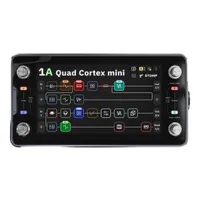
The compromise is that it is not the easiest to use. The menus are text-heavy, and the four effects per block and Scene system is a little confusing when compared to the likes of the HX Stomp’s Snapshots and the Quad Cortex Mini’s Scenes.
Take some time to figure this out, though, and you will find yourself rewarded with some excellent tones.
Guitar World verdict: Sporting Fractal's renowned Cygnus X-3 amp modeling, the AM4 is a very capable, compact modeler at home on any professional pedalboard. The modeling is backed up with an expansive selection of highly tweakable effects, and at a relatively competitive price point to boot. The compromise is that it is not the easiest to use; however, in this case, the manual diving is well worth it.
Test |
Results |
Score |
|---|---|---|
Build quality |
Sleek looks and a functional, gig ready build. What more can you ask for? |
★★★★★ |
Usability |
There are some redeeming features, but text heavy menus and a screen that doesn't change to reflect the mode you are in, make the AM4 a little tricky to use. |
★★★½ |
Sounds |
The AM4 features same modeling tech as the flagship Axe-Fx III, yielding a polished, desk ready tone. |
★★★★½ |
Overall |
It's a little tricky to use, but get the head round the manual and you are rewarded with stellar tones. |
★★★★½ |
Also try
Hands-on videos
Guitar World
The Studio Rats
Fractal Audio
Ola Englund