

Guitar World Verdict
About as straightforward as it is possible for an audio interface to be, the UA Volt 1 Gen 2 is perhaps the perfect interface for guitarists getting started in recording audio. Its streamlined features make it easy to use, and the tone shaping options that are there are useful. However, just be aware of the lack of MIDI.
Reasons to buy
- +
Easy to use.
- +
Affordable.
- +
Clear audio.
- +
Useful tone shaping.
- +
Generous software bundle included
- +
Bus-powered, with a second, separate USB-C input to power it without draining the recording device's battery.
Reasons to avoid
- -
MIDI present in the first iteration has been removed.
- -
Warm tone shape can be a bit muddy if used in the wrong context.
You can trust Guitar World Our expert reviewers spend hours testing and comparing guitar products so you can choose the best for you. Find out more about how we test.
What is it?
Choosing an audio interface as a guitarist can be a little daunting, as a lot of us delve into the world of audio-recording gear because, well, we have to. How else are you going to properly record that riff you’ve just written? If that sounds familiar, a simple, no-frills interface could be exactly what’s needed. There are a lot of options in that realm, one of which resides in the new generation of Volt interfaces from Universal Audio.
The Volt lineup is a cheaper alternative to UA’s flagship Apollo range. Most interfaces sound great, and you’ll notice very little difference in terms of pure audio quality from respectable brands - what you are paying for are the features included.
In this case, the headline difference (from a number of differences) between the Apollo and Volt lines has been the onboard DSP of the Apollo interfaces. In short, this allows the Apollo to run UA’s DSP plugins on the hardware itself, meaning near-zero latency monitoring and less strain on your computer. Basically, it's like having outboard gear, just in software form within the interface.
Talking of software, UA has equipped us with a software bundle including everything you need and more to get started with creating straight out of the box. Amp-wise, there's the excellent Lion ’68 Super Lead and Showtime ’64 virtual amps, plus UA's Luna DAW and a host of channel strips, compressors, synths and more.

In the new range of Volts, we have two lines to choose from: Volt Max and Volt Gen 2. The Volt Max units come with a little bit of that processing power, allowing them to run DSP-based compression. The Volt Gen 2s keep things simple, following on from the original Volt ethos, and go without that built-in DSP.
That does not mean the Volt Gen 2s don’t step things up from the outgoing Volts. What I have for review is the new Volt 1 Gen 2, the entry to the lineup. The upgrades from the old Volt 1 include a 32-bit resolution (up from 24), three preamp tone-shaping options (up from one), 60dB of available microphone pre-amp gain (up from 55dB), a separate 5V USB-C power input, and, most importantly, an additional ¼” jack input alongside the combo input. We are, however, losing the MIDI connectivity.
Specs

- Launch price: $149 | £120 | €139
- Simultaneous I/O: 2 in, 2 out
- Bit Depth: 32
- Maximum sampling rate: 192 kHz
- Number of Preamps: One
- Channels: Two
- Phantom Power: Yes
- Analogue Inputs: 1 x 1/4-inch instrument input, 1 x combo XLR/line input
- Analogue Outputs: Left and right main outputs (1/4" jack, balanced)
- Digital Inputs: None
- Digital Outputs: None
- MIDI: None
- Headphones: 1x 1/4" jack
- Features: 1 stereo loopback virtual input, tone shaping options for the pre-amp - Warm, Shine, and Focus
- Power Supply: USB-C bus-powered, or 5v USB-C
- Contact: Universal Audio
Build quality

Build quality rating: ★★★★½
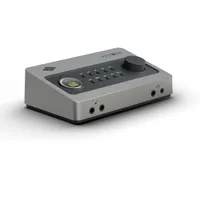
Getting things out of the box, the metal casing of the Volt 1 Gen 2 immediately gives an impression of a robust bit of kit. The four knobs – two gain, a main output volume, and a headphone volume – all feel similarly solid, despite being plasticky. For this price point, though, it is a good start.
As has become standard on these units, there are color-coded lights around the gain knobs that flash to indicate input and turn red to warn you of clipping. These work well and are more than vibrant enough to easily note in bright environments.
Similarly, the text indicating the Tone, 48V, Direct, and Mute buttons light up to indicate when they are active and the mode they are in. This, combined with an understated but classy silver/grey finish, completes a premium aesthetic which is very much appreciated at this level.
Usability and features

Usability and features rating: ★★★★½
I/O wise, there is nothing fancy. A ¼” instrument input jack on the front complements the mic/line XLR/jack combo input on the back, and the usual L/R ¼” main stereo outputs complete the two-in, two-out setup. These are balanced, so you'll be able to run a noise-free signal to your monitors or a live desk.
Many will be lamenting the lack of MIDI connectivity, especially as it was a feature on the previous Volt 1. But it is also worth noting that the Volt 1 model only had one input, so for many guitarists (this is Guitar World after all) that are much more likely to be recording an acoustic session with some vocals rather than playing around with MIDI instruments, this will be a worthwhile compromise.
Many will be lamenting the lack of MIDI
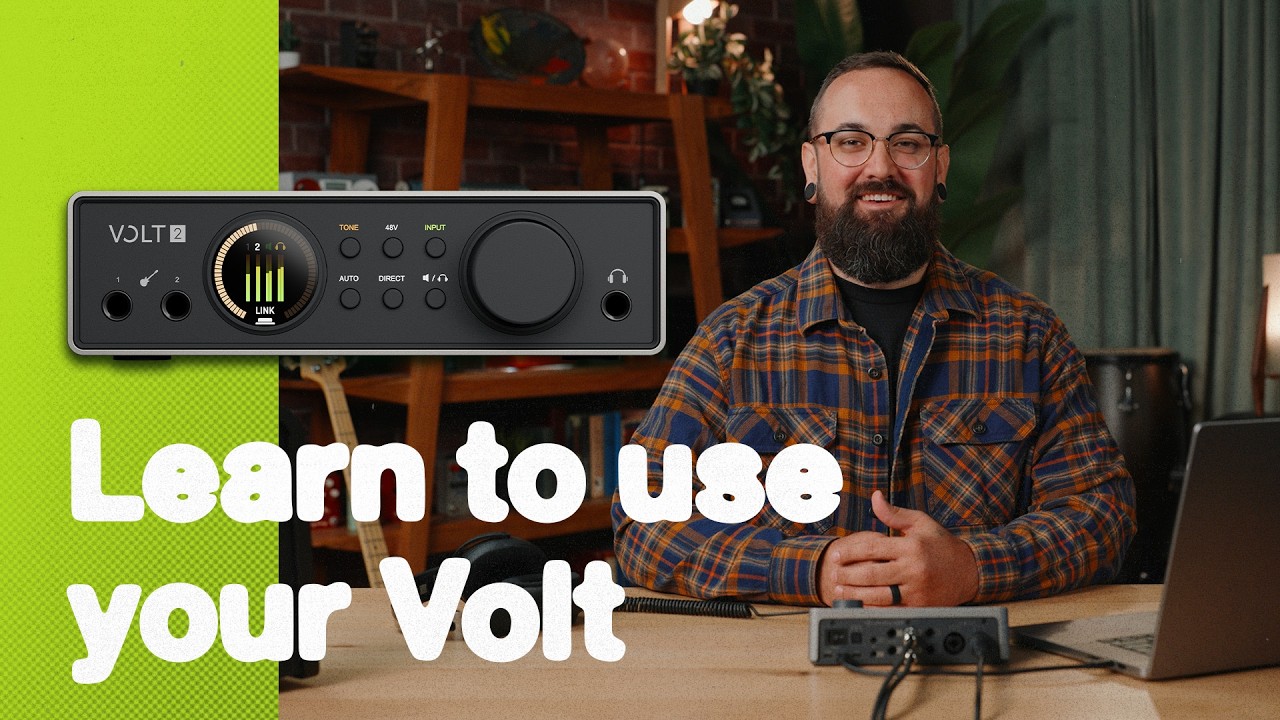
It’s also worth noting that this entry-level model does not feature the auto gain, clipping protection, or the display that the rest of the Volt Gen 2 range boasts. If those are important to you, have a look at the Volt 2 Gen 2, which you can pick up for around $60 more than the Volt 1 Gen 2.

The benefit of the reduced features is not only the lower price, but also the sheer simplicity. It is just plug-and-go, with the extra complication of sorting out drivers if you are on a Windows machine like me.
In doing this, the path of least resistance is to register your Volt, download the UA Connect app, and from there you can get the drivers, carry out firmware updates, and grab the suite of plugins that come free with the unit, and the already free version of UA’s DAW - LUNA. It’s nice to have all of this in one place.
Adding to the simplicity is the fact that the Volt 1 is bus-powered (draws power from your device over USB rather than a separate power supply). But if you want to avoid draining your device's battery, there is a separate 5V USB-C connection to allow you to power the interface from elsewhere. This is a well-thought-out touch.

The tone shaping options on the combo input preamp are probably what most would consider the big feature here. There are three: Warm, Shine, and Focus. We’ll get into sounds later, but these are activated by pressing the tone button on the front panel, at which point the aforementioned lights will change color to indicate which mode you are in.
So a bit of memorization is needed here, as there is no way to tell which color refers to which mode from the front panel itself. Something that is a non-issue on the models with a screen.
The way around this is to use the UAD Console app, which allows the user to set levels and toggle the modes from their computer. It’s a nice option, but with such a simple interface, I find myself preferring to go without it.
But a feature you may want to make use of from the UAD console is the Loopback. This allows you to set audio being output from your computer via the interface to the Loopback input for recording into a DAW or streaming, for example.
Sounds

Sounds rating: ★★★★½
As I referred to earlier, the differences between one interface and another in terms of audio quality are pretty small as long as you are sticking with reputable brands.
However, the new series of Volts features a bit depth of 32-bit, which is an interesting choice. To be clear, this is not 32-bit float, so it still has a 0dBfs ceiling after which digital clipping will occur.
So, given that 24-bit already offers more than enough dynamic range, what is the point here? To quote UA, it matters because of “what a modern 32-bit PCM converter chip can achieve at the analog stage”. That translates to less noise, increased clarity, and greater headroom.
In reality, the interface performs exactly how I would expect. Recording a version of Caledonia that I’ve been asked to perform at an upcoming wedding (admittedly, this is a two birds, one stone situation) with a Neumann TLM 102 mic and my PJD Carey running into the UA Paradise Guitar Studio plugin (not included) via the interface, the audio is crystal clear. I can’t say I’m noticing too much of a difference between this and 24-bit interfaces I have used, so we are talking about a subtle improvement rather than night and day.

Where things get interesting is in the tone shaping available on the mic preamp. On top of the unaffected option, there are also Warm, Shine, and Focus. So, I record the song four times to hear the difference between each.
Warm rolls off some highs and adds some low mids to beef things up a little. For many occasions, this will result in the audio getting a little lost in the mix, but if you are a singer with a naturally bright voice, this may add some valuable weight.
Shine does the opposite, and is a little too bright for my tastes. While it adds a lovely airy feel that could suit a backing vocal part, S’s need a little taming here.
Focus is the sweet spot for me. High mids are accentuated, and the vocal is given a mid-forward presence that has it cutting through the mix without getting too thin.
The tone shaping, whilst not drastic, is surprisingly less subtle than I was expecting
The changes, whilst not drastic, are surprisingly less subtle than I was expecting, so it's worth playing around with each of them so you know the effect it will have before you commit to recording that way. But match one of these tone shapes with the right gear/singer, and it will save you time in a mix.
Verdict

At its core, it's a plug-and-play type unit with no fancy tech
The Volt 1 Gen 2, then, is an incredibly simple audio interface. At its core, it's a plug-and-play type unit with no fancy tech to get your head around, aside from those tone shaping options in the pre-amp of the combo input, which themselves are also straightforward in concept, whilst being useful.
And of course, the other upside of the streamlined approach to features is the reduction in cost. At around $149, the Volt 1 is well placed to be a first audio interface for someone getting into recording. Particularly for a guitarist who may not (yet) be looking to delve into the world of MIDI, but just wants a way to record their guitar and voice.
More generally speaking, many will miss the MIDI input featured on the original Volt 1, but it is worth noting that comparable units such as the Focusrite 2i2 and Fender Quantum LT2 have also taken the MIDI-free approach.
Guitar World verdict: About as straightforward as it is possible for an audio interface to be, the UA Volt 1 Gen 2 is perhaps the perfect interface for guitarists getting started in recording audio. It’s streamlined features make it easy to use, and the tone shaping options that are there are useful. However, just be aware of the lack of MIDI.
Test |
Results |
Score |
|---|---|---|
Build quality |
A robust chassis and a classy aesthetic. The control knobs feel slightly plasticky, but sturdy all the same. |
★★★★½ |
Usability and features |
Stripped back in terms of features, with the upside being ease of use. The MIDI connectivity present on the first iteration has been removed however. |
★★★★½ |
Sounds |
Crystal-clear audio, with mostly useful tone shaping on the pre-amp. |
★★★★½ |
Overall |
A decent bit of kit, that is simple, but affordable and easy to use. A great entry into the world of recording audio. |
★★★★½ |
Also try
Hands-on videos
Thomann
Gear 4 Music

Universal Audio