



Guitar World Verdict
Overall, the ease of use makes the Laney Prism-Mini a really fun practice companion. The fact that it doesn’t rely on a companion app is a boon in my book, making it easier to put down the distracting smartphone and focus on actually playing. The amp tones, and in particular the effects selection, are really fantastic, so if Laney could fix the issue with the resonant frequencies my review model has, this would be a truly brilliant addition to any guitar player’s practice regimen.
Pros
- +
Super easy to use and navigate via the built-in screen.
- +
Great amp tones and excellent effects selection.
- +
Very sharp looks and solid build quality.
- +
Lightweight and compact enough for travel use.
Cons
- -
I came across some frequencies that resulted in unpleasant distortion.
- -
Distinct lack of low-end at higher volumes.
- -
The screen isn’t easily visible if you play sitting down.
You can trust Guitar World Our expert reviewers spend hours testing and comparing guitar products so you can choose the best for you. Find out more about how we test.
What is it?
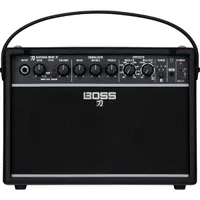
The latest in a seemingly endless supply of mini amps, the new Laney Prism-Mini represents yet another option for guitar players who want big tones in a small package. There are a lot of players in this space right now, with amps such as the Boss Katana-Mini X, Positive Grid Spark Go, JBL BandBox Solo, and Blackstar Fly 3 all competing for shelf space in the home of guitar players.
This isn’t the first time Birmingham-based amp maker has forayed into tiny practice amps either, with the Prism being preceded by the Laney Mini-Lion, Lionheart Stereo, and the Supergroup Mini. This is the first time Laney has gone fully wireless and digital; however, the previous offerings required you to physically connect your phone to the amp to use additional software.

It boasts one hundred presets, dual 1.5” speakers outputting 3 watts each in true stereo, and the ability to run 6 different effects at once. Bluetooth connectivity allows for connection to the Tone-Wizard companion app for deeper editing, as well as allowing you to stream music from your phone. The app also features a drum machine, a built-in guitar tuner, and, of course, the Prism-Mini is equipped with a headphone output for silent practice.
Specs

- Launch price: $149 | £99 | €125
- Type: Desktop digital practice amp
- Origin: China
- Output: Six watts RMS
- Speaker: 2 x 1.5”
- Features: Digital amp and cab modeling, 50 user and 50 factory presets, multi effects, nine-block signal chain, Tone-Wizard app
- Connectivity: 1/4” input, 1/8” headphone output, USB-C, and Bluetooth connectivity
- Weight: 0.5 kg (1.1 lbs)
- Dimensions: 170 x 113 x 80mm (6.6 x 4.4 x 3.1”)
- Contact: Laney
Build quality

Build quality rating: ★★★★½
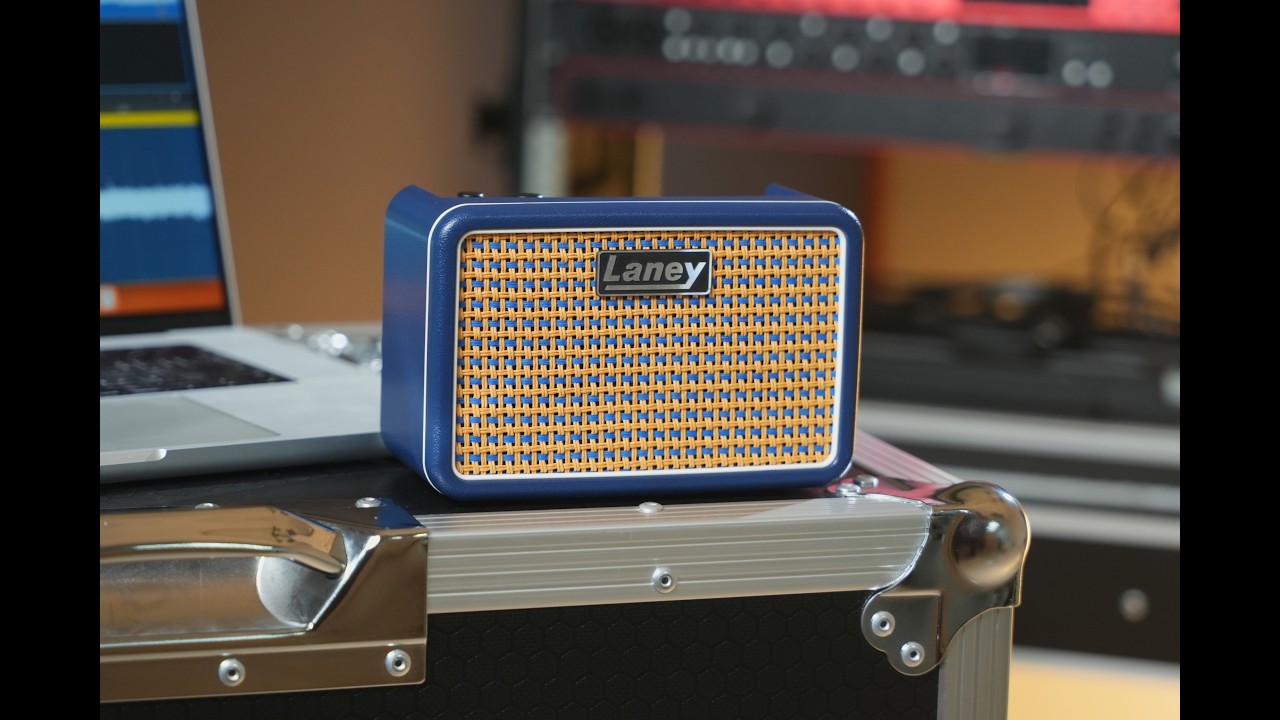
Housed in a very handsome navy blue enclosure (a black version is also available), the Prism-Mini is definitely one of the better-looking mini amps I’ve tested. The front grille features an interlocking pattern of navy and mustard yellow that features on the Laney Lionheart. White piping rounds off a very nice-looking amp, and a welcome change from the typical black I see in this category of amp.
The Prism-Mini does away with most of the physical controls you’d typically see on a guitar amp, like gain/volume and EQ knobs, and instead opts for a purely digital experience. There’s a Volume knob, plus an endless encoder for navigating the menus and changing parameters. A dedicated ‘Back’ button allows for navigation back through the menus, and pressing the encoder and Back button together unlocks the built-in tuner.

On the other side of the screen is a global Settings button and a Bluetooth connectivity button with the usual 1/4-inch input. It’s very sparse, and this theme is continued on the back panel, which features a single USB-C port for charging and a 1/8-inch headphone output. The overall feel is really nice; it’s plasticky, but with that, not too heavy, and small enough to chuck into a backpack, while feeling rugged enough not to feel bad about doing so.
Usability

Usability rating: ★★★★½
Beginning by plugging my straight-to-straight guitar cable into the amp, the other end going into a Fender Cabronita Telecaster equipped with two TV Jones humbuckers, I quickly realize that the weight of the Mogami cable I’m using is too much for the Prism-Mini. The result is the amp falling forward whenever there’s a slight pull on the cable. Swapping it out for a right-angle cable makes it much more stable and usable.
Turning the amp on and diving straight into some sounds, I start sans-app, choosing to navigate the tones via the physical controls. It’s pretty simple to navigate, even with just the single encoder. Turning the knob initially cycles through the presets, with a single press getting you deeper into the signal chain. From then on, you can dive into each individual amp or effect block and tweak at will.
There are seventeen amp models to choose from, which is a nice choice, and obviously, the focus is on Laney’s own amps with the Lionheart, Ironheart, Digbeth, and Cub featuring. You get seven effect blocks, two of which are Volume and EQ, with Preamp, Drive, Modulation, Delay, and Reverb making up the latter. The Drive, EQ, and Volume blocks are fixed alongside the Amp and Cab blocks, but the others can be moved pre or post, which opens up some options for sound exploration.

The screen is big and bright enough to be easily seen, and combined with the encoder and Back button, I’m surprised at how easy it is to navigate everything. I do find myself having to tilt the amp towards me and use two hands to do this while sitting, which does occasionally lead to some miss-presses of the encoder knob. If you’re the sort that doesn’t want to use an app, however, it’s nice that all of the functionality is accessible from the amp itself.
Moving on to the app, I download the somewhat amusingly named ‘Tone-Wizard’ app to my Google Pixel smartphone without any serious issues. Pressing the Bluetooth button has it paired instantly with my phone, and I can access a different way to amend the tone settings. It’s pretty simple looking, but I don’t mind that. Weirdly, it does ask for access to my photos and videos, and for access to my location, which seems unnecessary for a guitar amp.

The drag and drop of blocks works slickly, as does touching each block in order to access the deeper settings with sliders. Handily, when you press and hold on settings like the delay time, you can type in your exact ms amount if you want to dial in playing to a click or a particular song a bit quicker. Fine control over other settings is pretty good, though, and I can find that I can move things around incrementally when I need to.
Switching to the built-in drum machine requires you to separately pair your phone's Bluetooth Audio in order for the sounds to be played through the amp. Thankfully, this works immediately, and I can start playing a selection of seven different genres with ease. Each of the overall genres features varying styles, and while the sounds aren’t anything special, they’ll do just fine if you’re looking to hone your rhythm chops.
Sounds

Sounds rating: ★★★½
Beginning by cycling through the presets, I find some really great sounds straight off the bat. From spanky clean funk tones through to full-on metalcore, the Prism-Mini is a capable little amp indeed, and it doesn’t suffer from the boxiness that often plagues these smaller amps. The mid-gain stuff handled very well, and it responds nicely to picking dynamics as well as rolling-off the volume knob of the guitar. There are enough different amp sounds that the vast majority of playing styles are well accounted for here.
The dual speakers definitely help with the sense of space offered by the reverb and delay tones here, and there’s some really nice ambient stuff with endless reverbs and long delay tails that sound absolutely huge considering the size of the amp. The quality of the effects is, overall, really fantastic, and the flexibility with tweaking, while not as in-depth as some, still gives you plenty of room to maneuver.

Moving to a preset called ‘Funk’, I do find a weakness. The auto-wah triggers a very worrying crackling sound as the speakers struggle to handle a particularly resonant frequency. I head to the EQ section and am able to dial it out by eliminating 400 Hz, but this is definitely something Laney should look into fixing, as I find myself encountering it on other presets when playing certain chords. It could be a result of software or the speaker design, or that I might have a pre-release model, but either way, it’s not ideal.
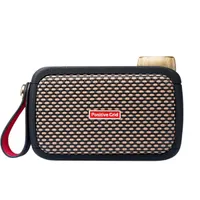
Cranking the volume, it doesn’t get to deafening levels, obviously, but it can get loud enough to annoy my partner, which is good enough for home use. At higher volumes, the lack of low-end does become more noticeable, but that’s a natural limitation of such a small speaker design, and it’s not a deal breaker when this amp’s primary use case is for jamming at home. That said, the lack of a passive radiator means that other amps like the similarly priced Positive Grid Spark Go sound a bit fuller at higher volumes.
Verdict

There are a couple of niggles, but overall I'm impressed with the capabilities of the Laney Prism-Mini. Despite being initially dubious at the lack of physical controls, the combination of screen and endless encoder makes for a surprisingly usable experience. As someone who is getting pretty tired of having to use companion apps in order to control gear, the immediacy of this amp is a welcome reprieve.
The combination of screen and endless encoder makes for a surprisingly usable experience
It’s not perfect, though, with that issue of certain resonant frequencies causing speaker distortion being a biggie that needs sorting. It’s also lacking a little in the low end compared to others in the marketplace due to its design, although this is only noticeable when you start cranking the volume.
Guitar World verdict: Overall, the ease of use makes the Laney Prism-Mini a really fun practice companion. The fact that it doesn’t rely on a companion app is a good one in my book, making it easier to put down the distracting smartphone and focus on actually playing. If Laney could fix the issue with the resonant frequencies my review model has, this would be a really brilliant addition to any guitar player’s practice regimen.
Test |
Results |
Score |
|---|---|---|
Build quality |
Really well put together and looks great |
★★★★½ |
Usability |
Super simple to use, with excellent app |
★★★★½ |
Sounds |
Great sounds overall, but some problematic frequencies |
★★★½ |
Overall |
An easy-to-use mini amp, great for those who don’t like using a phone |
★★★★☆ |
Also try
Hands-on videos
Thiago Zalinsky