

Guitar World Verdict
Along with some Line 6-style extras, the Powercab CL 112 brings the benefits of a real guitar speaker to the modeling world, because that is exactly what it is. For those who miss the sound of an actual amp on stage, this may well make digital modeling a more viable, and authentic option.
Reasons to buy
- +
It’s an actual guitar speaker
- +
Three-band EQ for tweaking to a room.
- +
The six iconic speaker voices sound great.
- +
Easy to use.
Reasons to avoid
- -
The default speaker voice (Voice switch off) can be a bit muddy.
- -
Plastic corner bracings feel a little cheap.
You can trust Guitar World Our expert reviewers spend hours testing and comparing guitar products so you can choose the best for you. Find out more about how we test.
Guitar World Video Demo
What is it?
We’ve all been in the position where we have had to load our gear into a venue from what feels like miles away or up multiple flights of never-ending stairs. Thankfully, digital amp modeling and profiling technology from the likes of the Line 6 Helix Stadium XL, Neural DSP Quad Cortex, Kemper Profiler and more –– as well as myriad pedal preamps –– have replaced the amplifier and cabinet in many a guitar rig in favor of digital versions, making this job at least a little less backbreaking for the guitar player.
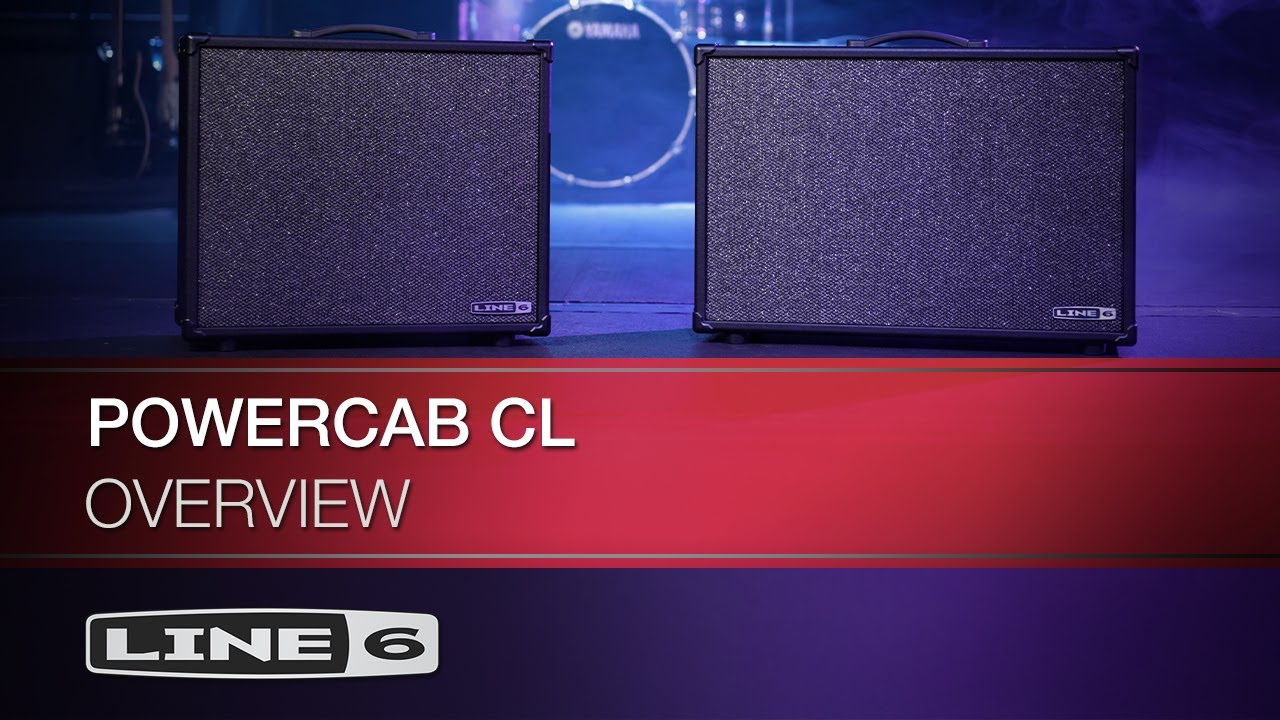
However, this type of rig does require some rethink of your monitoring, and some of us still miss the sound of a real guitar speaker in a room. This is exactly the issue Line 6 is looking to solve with its Powercab CL 112 and 212 powered speaker cabs, and Line 6 sent me the CL 112 to review.
So, this is just another FRFR speaker, right? Well, to be blunt, no. For the uninitiated, an FRFR speaker is designed to take the output from your digital modeler and allow for it to be heard on stage while coloring the tone as little as possible. Products like the Fender Tone Master FR-12, Laney FRFR-12, the IK Multimedia Tonex Cab, and the first Line 6 Powercab do a great job of this, and for a lot of guitar players, this is the perfect solution.

This relative transparency makes the FRFR cabinet fundamentally different from a real guitar speaker, which does color your tone. In fact, it’s a pretty essential part of its job; just turn the cabinet emulation off on your modeler of choice to hear the difference it makes.
What’s more is that cabinet emulations by definition are filtered through the microphone that captured them, further removing them from the sound of a real cab and nudging the tone towards a studio-like sheen.

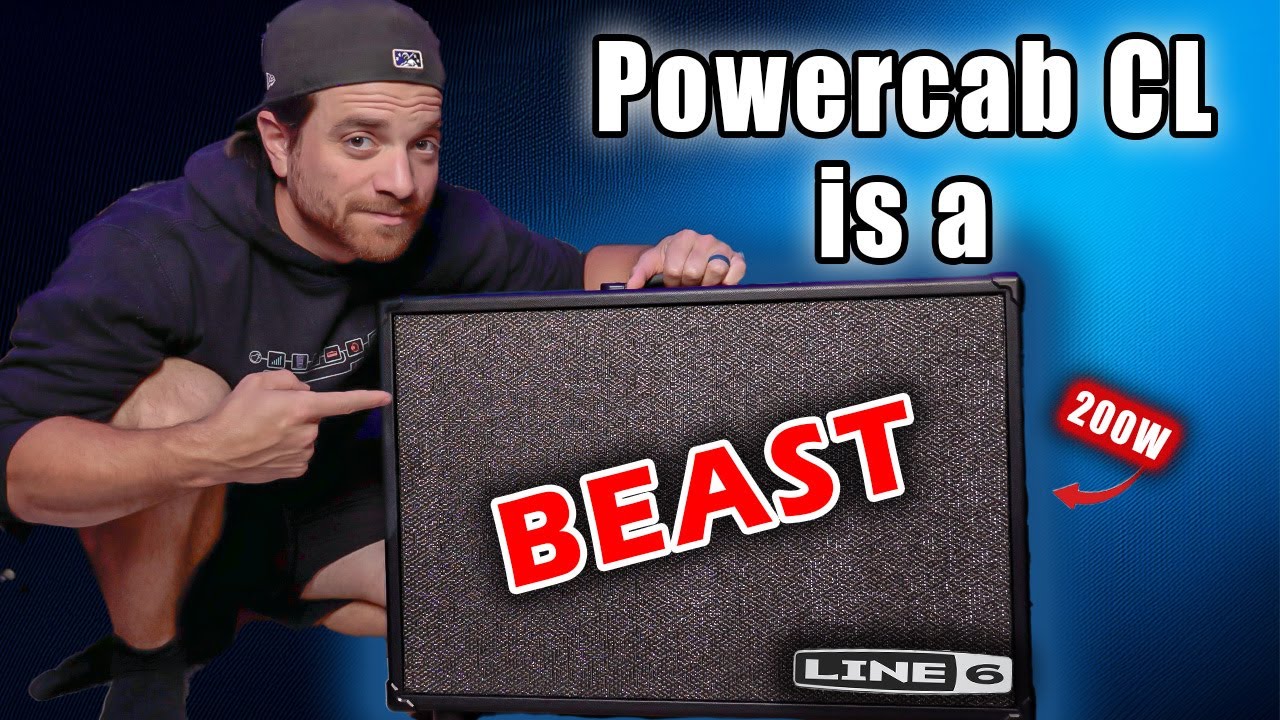
Enter the Powercab CL. It’s an actual guitar speaker and cab, built to take your digital amp model with cabinet emulation turned off, and provide you with that amp-in-the-room type feel.
However, it would not be Line 6 without a couple of twists, and the Powercab CL does have a few. It has a three-band EQ to allow you to tune the cab to the room, just like a 'real' amp.
So, this is just another FRFR speaker, right? Well, to be blunt, no.
There's a speaker-emulated output so that you can send audio straight to a PA and as well as the default sound of the physical speaker, there are six different voicing options you can apply - Crisp (Roland JC120 Speaker), Jarvis (Jensen P12Q), Jetson (Jensen C12K), Essex (Celestion Alnico Blue), Green (Celestion G12M Greenback), and Vintage (Celestion Vintage 30). Plus, there's MIDI control too.
It’s important to reiterate that these voices are not cabinet emulations, but rather tweaks to the sound of a real speaker to reflect the tone of the iconic speakers the voices are inspired by.
In short, if the Powercab CL delivers everything it promises, it could fill in the gap for those of us who want to use modelers but miss the sound and feel of air being moved.
Specs

- Launch price: $449/£439/€499
- Type: Powered guitar cabinet
- Origin: Malaysia
- Output: 100w
- Speaker: 12", Line 6 HC 100 custom-designed speaker
- Features: 6 voices modeled on iconic speakers, three-band EQ emulated XLR out, MIDI control
- Controls: Voice, Volume, Low, Mid, High
- Connectivity: 1 x combined input (XLR/jack), speaker-emulated XLR out
- Weight: 31.9lbs/14.5kg
- Dimensions: 564 x 488 x 262mm
- Contact: Line 6
Build quality

Build quality rating: ★★★★½
The first thing I notice as I take the Powercab CL 112 out of its box is how light it is. Considering that it is a powered cabinet, I would generally expect it to be a bit heavier than its 14.5kg. A common reason for the switch to digital gear from a big pedalboard and heavy amplifier is the extra portability, so keeping the cab lightweight is important.
Its black, wooden sides and grey baffle make for a somewhat minimal look, but in a way that, in my opinion, lends the Powercab CL aesthetic a certain amount of class, as do the sleek stylings of the control knobs and top panel.
Those controls have a reassuring resistance, but the little notch when set at zero (i.e, when the EQ is not adding or subtracting anything) could do with being a little more prominent.

Its open-backed construction feels generally sturdy, and the thick rubber handle gives the impression that it will withstand a significant amount of abuse, but the plastic bracings on the corners feel slightly cheap.
Overall, it’s a solid build and, despite a few minor complaints, there’s nothing here that would make me worry about chucking this into the back of a van and dragging it round countless venues. I do, however, miss the legs that allowed the original Powercab to tilt backwards.
If you haven’t tried tilting your amp when you're playing live, give it a go! Rather than the sound getting blasted at your knees, it gets directed towards your head, making it much easier to hear yourself. It’s a feature I appreciated on the original Powercab, and I feel it’s a shame that it did not get carried over to the CL.
Usability

Usability rating: ★★★★★
Who really wants to read a manual? Thankfully, for the most part, there’s no need to do so with the Powercab CL. Plug your modeler into the input, choose the speaker voice, play with the three-band EQ if you feel the need, turn the volume up, and you're done. Easy.
What makes this process so straightforward is that the five knobs - Voice, Low, Mid, High, and Volume - are all neatly displayed in a self-explanatory fashion alongside the Input, which is situated on top of the cabinet, just like any guitar amplifier. The fact that the Powercab CL really wants to see an input without cabinet emulation from the modeler may require some routing depending on your setup, but that’s on the modeler. It’s worth noting here that this routing is easy to do from the Line 6 Helix Floor I’m using to test the Powercab CL.
On top of that panel, there are also two little buttons, both of which feature an LED. One to switch the speaker voice on and another to change the impulse response assigned to the XLR output on the back of the cab.

The LED on the first of those buttons not only indicates whether the Voice control is on or off, but also handily flashes red when the input signal is too hot. The second changes color to show which IR is selected for the XLR output. White for an IR that reflects the chosen voice, pink for the user-loaded IRs (six slots available, selected via the voice knob), and blue for the default IR modeled on the real speaker without any tweaks from the voice control.
Speaking of user IR’s, the Powercab CL app is the means by which we load them in. It's a drag-and-drop interface with Hi Cut, Lo Cut, and Level controls. No complications here, just a simple interface getting you straight to the controls you need.

Around the back sits that aforementioned XLR, a USB-B port, and a MIDI input. I would rather see the more ubiquitous USB-C here, as we are all more likely to have a USB-C cable to hand. The MIDI is a nice touch, though. It provides the ability to change the Voice for the speaker and IR for the XLR out as you change amps on your modeler, which - since we’re not emulating cabs on our modeler - is something some may indeed want to do.
There are also two switches, one to bypass the speaker voice and EQ, and another that provides a ground lift. To my ears, having the speaker voice turned off and the EQ set flat does exactly the same thing as bypassing them, so I can’t help but feel that the bypass switch is a little superfluous, but if you want it flat and need to make sure you don’t accidentally move anything, it’s not a bad thing to have as an option.
Sounds
Sounds rating: ★★★★½
Making some noise, I have seven options in front of me courtesy of the Voice control. I can leave it as is and use the speaker's natural sound, or activate one of the six voices that tweak the tone to approximate the sound of the iconic speakers.
Using my Line 6 Helix Floor and a preset that I frequently use live featuring the Grammatico GSG amp model, I deactivate the cabinet emulation and run straight into the Powercab CL.
To get an impression of the difference a real speaker makes, I set up the Powercab CL alongside an FRFR (I am using a Tonex Cab here) and A/B it with the modeler’s cabinet emulation turned on for the Tonex Cab and off for the Powercab via some routing on the Helix. In short, the FRFR is more focused and produced, whereas the real speaker in the Powercab feels open and smooth.
I would usually spend a bit of time tweaking mic settings on cabinet emulations, getting a high-cut in the right place, and so on, but there’s no need to do that with the Powercab CL. This tracks with using a real speaker compared to an emulation or IR via an FRFR cab. Therefore, first impressions are that the Powercab CL is doing exactly as promised.
Focusing on the Powercab CL, I find the default speaker setting (Voice control off) to be quite prominent in the low mids, which is a little muddy, but still enjoyable, as it keeps things feeling smooth when playing at volume. The real fun, and the sounds I find myself preferring for the most part, is in turning on the Voice control and playing with those six additional voicing options.
The Vintage voice immediately makes things feel more full-range with a less pronounced mid frequency and more detailed highs. The Green setting sounds similar but brings some of those mids back in, and the Essex by comparison adds a little more high with a pleasing jangle.
With the Jetson, we are back into mid-forward territory, but in a much clearer place than the natural sound of the speaker. Onto the Jarvis, and things are sounding more full-range again with a Fender-y mid scoop.
The Crisp setting is the only voicing I don’t like
Finally, there’s the Crisp setting, and this is the only one I don’t like. There’s a lot of high-end here, and it sounds a bit thin to my ears. But the fact that it is named “Crisp” is a fair warning of this, and it is useful for amplifying darker sounds - just like the speaker it's based on.
As with a traditional guitar amp, the voice you are going to want to use will vary depending on the digital amp you are running into it. Having said that, I find myself really enjoying the Jarvis’s smooth scoop-y character, and it pairs particularly well with the mid-humped amp models I tend to lean towards when I am going digital. So, I am happy to go on record saying that this is my favorite of the bunch.

The EQ is particularly powerful, which means you need to be careful so as not to ruin a good tone when making changes, but it does allow for tweaking the cabinet to any room.
The options don’t stop here, however, as there's also a set of IR’s on the XLR output to explore. Built to run straight to an interface/P.A, it defaults to an IR modeled on the natural sound of the Powercab's speaker. It can be set to one of six IR’s that are paired to match and change with the speaker's Voice selection, or user-loaded IRs.
I find that the IR’s paired with the speaker voices reflect the tonal changes from one voice to the other, but all sound thin and harsh by comparison. They can be tweaked via the app, but I would suggest staying away from these. However, the default IR modeled on the base tone of the speaker is a hidden gem.
As I mentioned earlier, the speaker has a lot of low mid information and sounds quite thick, if lacking a little clarity. Therefore, having an IR that thins it out works in its favor. It feels rounded and responsive, making it a lot of fun to play.
Verdict
While it’s tempting to shoot-out the Powercab CL against FRFR speakers, I would argue that this misses the point of what Line 6 is trying to do here. Sure, both approaches are designed to get you some on-stage volume, but the problems they are solving are fundamentally different.
If you are looking to faithfully amplify your digital guitar rig in full, then an FRFR with its relatively color-free representation of your sound is the way to go. But, if you would rather ditch your modeler's cabinet emulation in favor of a real speaker that becomes part of your rig, this is what the Powercab CL is built to do.
For those who miss the sound of an actual amp on stage, this may well make digital modeling a more viable option
The benefit of this is that it gives us more of that real guitar speaker feel because, well, it is a real guitar speaker. But that doesn’t mean that there isn’t something to be said for the studio-like sheen that cabinet emulation with its modeled microphone gives us.
Really, it depends on figuring out which method works best for you. Either way, it’s great to have the choice, and the Line 6 Powecab CL 112 is a very capable choice at that.
Guitar World verdict: Along with some Line 6-style extras, the Powercab CL 112 brings the benefits of a real guitar speaker to the modeling world, because that is exactly what it is. For those who miss the sound of an actual amp on stage, this may well make digital modeling a more viable, and authentic option.
Test |
Results |
Score |
|---|---|---|
Build quality |
The plastic corner bracings feel a little cheap, but it's still a solid, gig ready build. |
★★★★½ |
Usability |
No manual needed here. Just plug in and go with a few deeper functions that are easily learned. |
★★★★★ |
Sounds |
It's a big tick for the cab's main claim of providing a real speaker in the room experience. Speaker voices sound great for the most part, although the majority of the IR's are a little harsh. |
★★★★½ |
Overall |
Does what it says on the tin. Provides a real speaker feel to your digital rig in a gig ready, easy to use format. |
★★★★½ |
Also try
Hands-on videos
Line 6
John Nathan Cordy

Steve Sterlacci