

Guitar World Verdict
The AI-assisted future of guitar effects pedals? In its current form, not quite, but it represents a fascinating and futuristic take on the humble stompbox, with a massively ambitious ethos that deserves credit. The applications of Playground are huge, and it could be a valuable tool to help you get the tone you hear in your mind into a pedal.
Reasons to buy
- +
Easy to get up and running, and the Playground interface is great.
- +
Impressive assortment of ready-made effects.
- +
Responsive algorithm that does a decent job of creating and tweaking effects.
- +
No app needed – can be done on your iPhone.
- +
Excellent canvas for playing and experimenting.
Reasons to avoid
- -
Generating code for effects can take a while.
- -
You need to pay for tokens to create effects.
- -
Even bad generations will cost you money.
- -
Endless can only have one effect at a time, and you need to connect it to a device via USB-C to change it – really needs Bluetooth.
- -
Had some connectivity issues with my iPad.
You can trust Guitar World Our expert reviewers spend hours testing and comparing guitar products so you can choose the best for you. Find out more about how we test.
What is it?
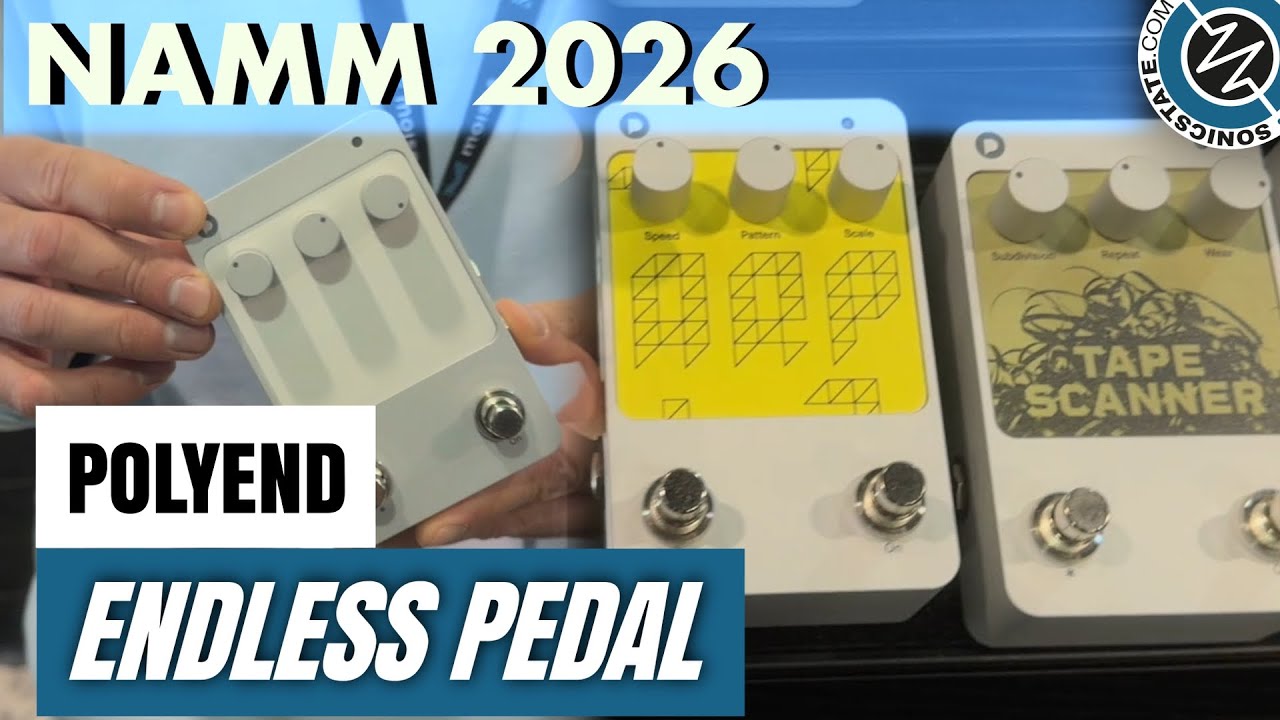
When I was doing the rounds of the Anaheim Convention Center at NAMM earlier this year, I happened to stumble upon a small, unassuming booth in the deep corners of the effects pedal village. That booth belonged to Polish effects innovator and synth specialist Polyend, whose artificially intelligent, first-of-its-kind Endless pedal immediately caught my attention.
The premise was simple, yet the potential was anything but. When paired with the brand’s text-based, prompt-powered ‘Playground’ chatbox, the Polyend Endless pedal could, in theory, turn into any effect pedal you wanted it to.
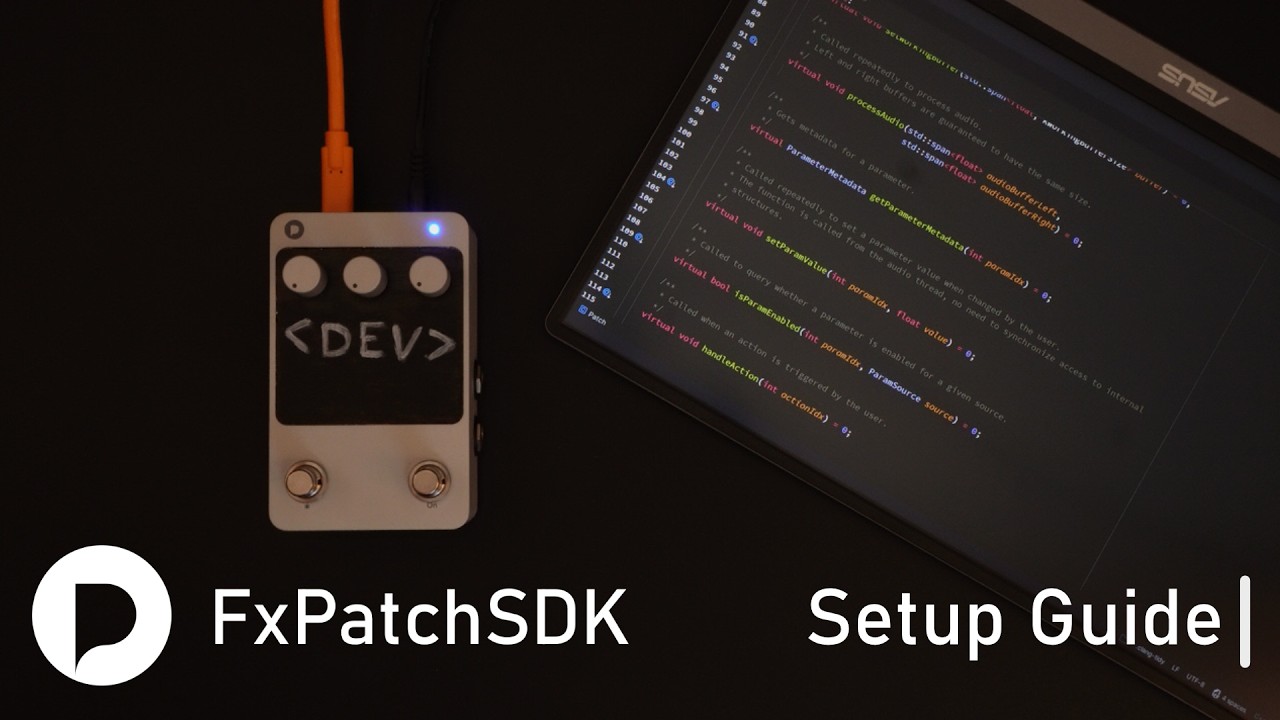
I received a brief demonstration of it during my NAMM stroll, and it operates something like this: you ask the chatbox to create any effect you can think of. It will translate that prompt into code via C++ and generate an effect algorithm, which can then be loaded into the Polyend Endless pedal via USB-C. Put that on your pedalboard, and hey presto: your very own boutique effect box.
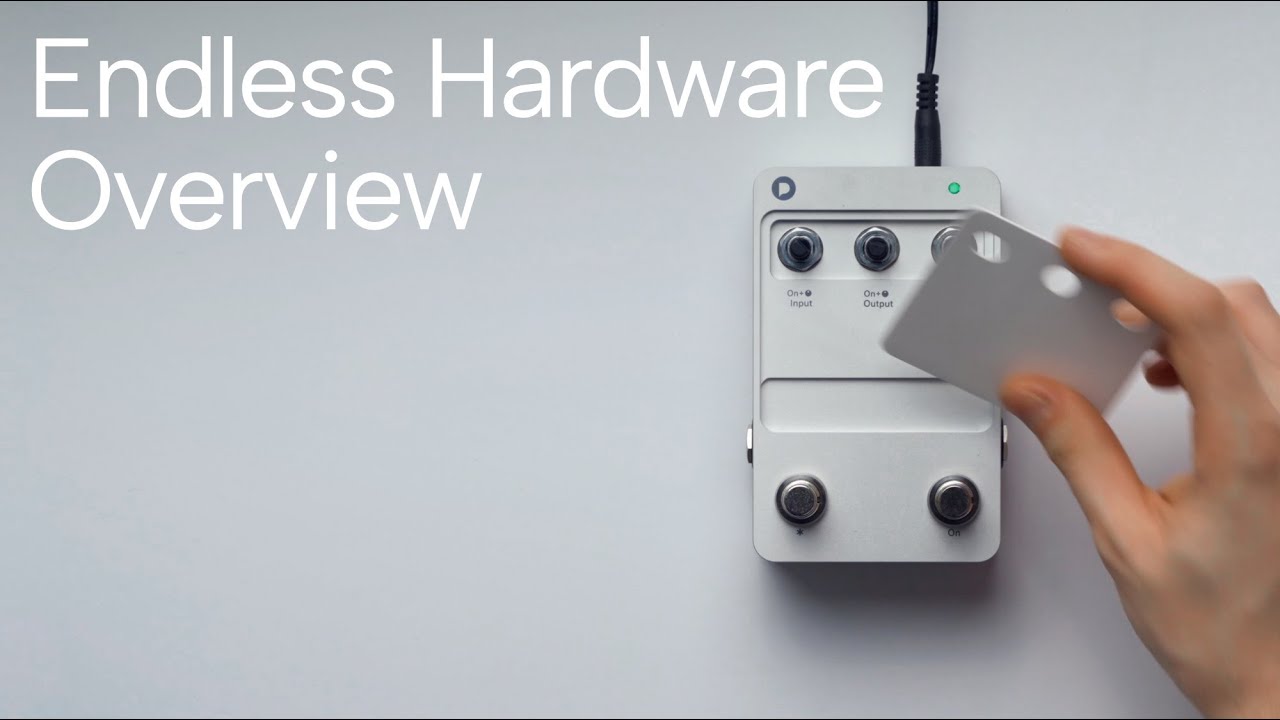
The effect can be tweaked if needed, and there are three control knobs that can be assigned any parameter you wish. There are also two footswitches, and the potential for multiple momentary, latched, and secondary functions depending on how the algorithm has been generated. No understanding of coding is required, but if you are knowledgeable in that area, you can code your own effect from scratch. It really is that simple.

I was intrigued and highly impressed by the demonstration. So much so that I gave it a shoutout during Guitar World’s end of NAMM highlights roundup discussion. And I wasn’t alone in giving it its flowers: the Polyend Endless also won Best in Show at the convention.
It caused a bit of a stir in the guitar community, and although the ethics and application of AI in the wider music world is still under huge scrutiny, Polyend really represents AI as a force for good in the guitar world, supporting player creativity and serving as a tool to help inspire and encourage music-making.
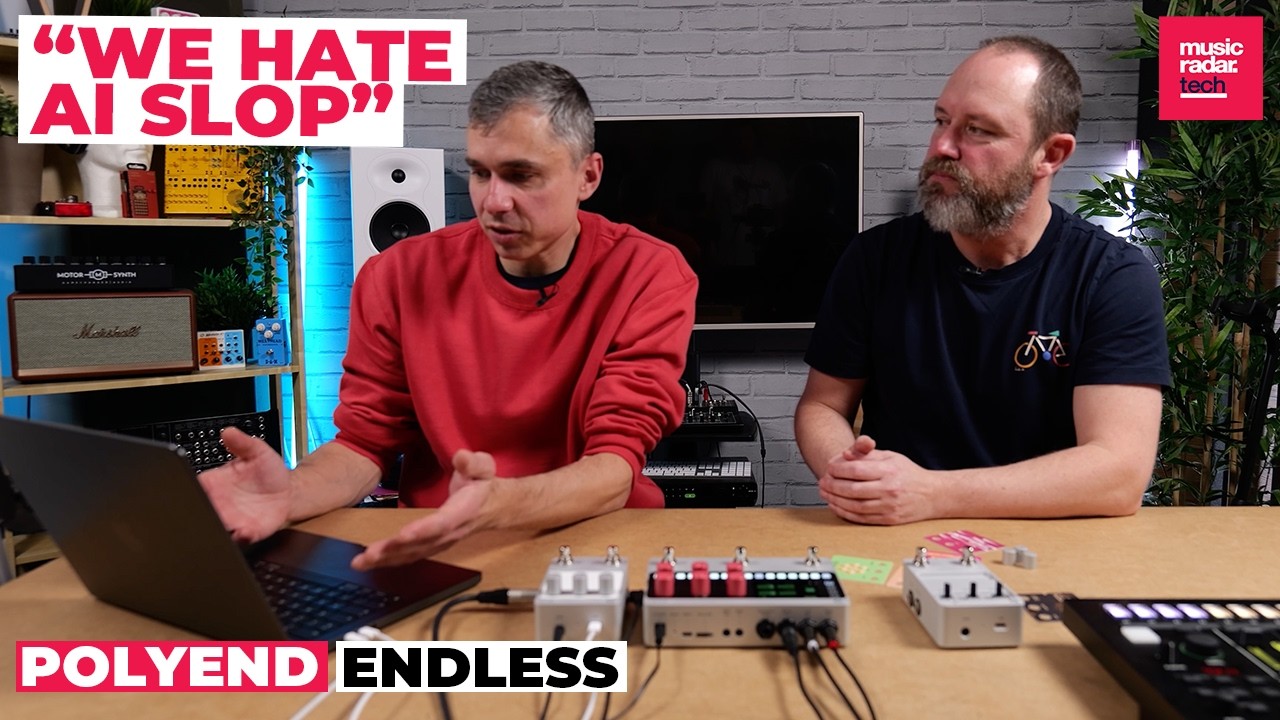
It should also be noted that Polyend itself doesn’t use the term AI, and in an interview with MusicRadar brand founder Piotr Raczyński very clearly articulated that the company agrees that artificial intelligence should be used to support, rather than replace, creative processes.
“We hate AI slop,” stated Raczyński. “We don't want the fun to be taken out of music making. I think there is a distinct boundary where AI should be involved in creating the tools that inspire you, but it doesn’t take any of the fun from you.”
Whatever the case, the application potential of the Polyend is huge. But just how effective is this algorithm generator? Are there any limits to its seemingly (ahem) endless potential? Is there a catch? I spent a week with the Polyend Endless to find out – and to determine whether my early appreciation for the pedal held up to scrutiny.
Specs

- Launch price: $299 | £299 | €299
- Type: AI-assisted effects pedal
- Controls: 2x footswitches / 3x control knobs, customizable and interchangeable depending on effect
- Features: USB-C connection to Polyend Playground, an AI-assisted prompt-based chatbox for creating and tweaking custom effects / Access to existing collection of user-made effects
- Connectivity: TRS stereo line in, TRS stereo line / headphone out, expression pedal jack, USB-C
- Bypass: Buffered
- Power: 9VDC
- Dimensions: 2.2" x 4.72" x 3.15" (5.5cm x 12.0cm x 8.0cm)
- Weight: 0.42kg (0.88lbs)
- Contact: Polyend
Build quality

Build quality rating: ★★★★☆
The Polyend Endless looks and feels like the product of modern-era gear design norms; an extension of the sleek Apple-ification of consumer goods that have given most high-end tech products – from smartphones to laptops – a sleek, no-nonsense minimalist design defined by monochromatic aesthetics and clinical efficiency. The Polyend Endless looks really, really nice.
It has a matte silver chassis that has a brushed, almost satin sheen to touch. It feels premium and, when put in a signal chain that includes my Neural DSP Quad Cortex Mini and MacBook Pro, it looks like the real deal. A true pedal for the 21st Century guitar rig. It does make me feel slightly uneasy, though. My rig is starting to look like a Tesla workbench.
However, combating the sterile, clinical feel that threatens to sap any soul from my entire pedalboard, Polyend has very smartly created the concept of customizable ‘Plates’, which can be swapped out ad hoc depending on what effect is loaded into the Endless.
For instance, if you’ve asked for a dimed Metal Zone, chainsaw fuzz tone, you can draw and create your very own Plate, which can be placed onto the pedal itself to give it a splash of psychedelic color or unique personality. It’s a fiddly process – one that involves removing the control knob tops – and you need to pay extra for blank Plates, but it might be deemed a necessary move for those who don’t like the minimalism of the standard appearance.

And, speaking of Plates, Polyend has on offer a bunch of pre-made designs that can be paired with the many existing free-to-download effects that can be put straight into the pedal. These effects include Silicon Super Villain, Wall Pusher, Bass Synth and Dual Lines, as well as many more.
Again, you have to buy these Plates – and at $20, they aren’t cheap – and take time to swap out, but it’s a nice idea to give something that can feel a bit sterile, a nice bit of life.

It’s a relatively compact pedal, too, and has a nice heft to it that adds to the premium feel. The pedal is $299, so you’d expect as much, but with so much of its innards geared towards complex coding and effect transfer, it's nice to see Polyend hasn't compromised on the medium through which its tones will be accessed. Apart from one thing…
My only gripe is with the footswitches. For something that otherwise does a good job of providing a premium feel, the switches leave a lot to be desired. They feel a bit loose, the tops are rattly and loose, and the ‘click’ is a strange one.
Elsewhere, the I/Os here will serve players well. It’s powered by 9VDC, has a USB-C jack for uploading effects, has an expression pedal jack, and has a TRS stereo input and output.
Usability and features

Usability and features rating: ★★★½
Getting set up straight out of the box was super easy, and I had no issue with hooking up to Playground and getting started with making my own effects
The real USP for the Polyend Endless is just how easy it is on paper to create your own effects. ‘Vibe coding’, Polyend calls it. And although those with a bit more technical nous can code their own effects using C++ (and, as we’ll find out, that may be a better way of doing it) it is the ‘Playground’ platform that will attract the majority of users.
I’m impressed with the premise, although I had a few teething problems with the setup. First, the good: Playground is a browser-based service, meaning you don’t have to download any apps to get started. That’s a big win for me. All you need to do is make an account and register your pedal, and you’re good to go.
Once you’re logged in, you are able to use Playground to generate effects, which can be downloaded as a file to your device. Then, simply hook up your Endless pedal (you need to hold the left footswitch while powering up to operate in mono, the right to go stereo) to your device of choice via the USB-C, drag and drop the effect file into the pedal, and after a few seconds you will be good to go.
Now, I used my iPad for this review, to test just how portable you can get the setup, but you could use your laptop or, if you really wanted to, your smartphone, so long as there is a USB-C connection. Top marks for convenience there.
I have to say, getting set up straight out of the box was super easy, and I had no issue with hooking up to Playground and getting started with making my own effects via the chatbox. It’s a no-barriers-to-entry approach that, like Polyend says, is geared towards player usability.

That said, effect generation isn’t a quick game, and you can be waiting a while for your prompt to be turned into a usable sound. Playground might even ask you for some clarifying points before it generates code. Afterwards, you might need to do some tweaks. The issue arises when you ask for more complex effects that need a little additional direction, and more processing power to generate.
For example, I asked Playground to create a gated distorted reverb akin to my Rainger FX Reverb X pedal, with parameters for gate threshold, distortion level, and decay time. From concept to final product, it took about 16 minutes to create. By no means a deal-breaker, and enough time to refill my coffee while I waited, but you do need to be patient – even more so if you need a few bites at the cherry to get it right.
To that end, it can be a tedious process to upload an effect, trial it, go back to Playground, ask for tweaks, re-download, re-test etc…It is a bit of an operation, especially for more tricky sounds. There’s a lot of back and forthing, plugging in and un-plugging. It can be a good 40 minutes before you’ve landed on something usable. Some might like the process, others not so much – especially if you’re in a bind and need something quick.

The timing, naturally, seemed to be dependent on the complexity of the prompt and the desired effect. That makes sense. It’s easier to generate a chorus-drenched, DI-style multi-track tone inspired by the Tascam 424 (can you tell I tested this over the Coachella weekend?) than it is a reverse swell delay with modulated reverb.
And we need to talk about tokens, because don’t forget this is a pay-to-play service. 2000 tokens cost about $20 (you can this amount of credit included with the pedal to start) and each time you ask Playground to create or tweak an effect, it’s going to use up tokens. The bigger the file and task, the more tokens it will be. If you need edits to an algorithm but you’re out of tokens, you need to buy more to get it over the line. Even if it coughs up something that sounds nothing like what you had in your head, you will still pay for it. Each prompt works out to around $1-$5 depending on how involved it is. So a simple effect may only cost $1 if you're happy with it after the first prompt, but the cost goes up from there with revisions and more complex commands.
Side note: the guitar world’s wider opinion on pay-to-play gear is well known, to say the least. I actually don’t have too much of an issue here. I think it’s much better than a subscription service, which would require continuous payments for access. With the tokens system, you only have to pay for what you want, with no commitment required.
I think it’s a good middle ground, but it does put a price on your creativity and you might end up spending more than you initially wanted chasing that sound.

Away from the tech, I experienced more issues at a more basic level with the process of actually uploading effects to the Polyend. Once I’d downloaded the effect file to my iPad, and attempted to drag it into Endless – which comes up as its own Drive on your device – the upload would routinely time out at the start with an Error 503 message. Endless would then eject itself, and I’d have to start the process over.
The Endless really needs Bluetooth connectivity to improve this side of the user experience
After doing the classic ‘turn it off and on again’ remedy, and changing out all my cables, the Endless began performing a bit more reliably, but I did still find myself having to reboot the pedal after it’d fail an upload and disconnect itself from my device.
I found this very frustrating at the start, not least because it takes enough time as it is to actually generate the effect in the first place. Pair that with the trial and error required to perfect an effect, the constant back and forth, it can be a lengthy process.
Moreover, you can only ever load one effect into Endless at a time. And to do so, you have to hook it up to your device via USB-C. The Endless really needs Bluetooth connectivity to improve this side of the user experience. If (when?) that comes, the usability score will go up a notch. But no matter how easy Playground is, the logistics can be a bit more bothersome.
Back to the pedal and a spot of troubleshooting seemed to overcome those connectivity issues, but it didn’t fill me with much confidence. Especially because, at NAMM, I saw up close just how easy it should be. And it’s a shame my first impressions were so jarring, because once everything was running smoothly, Playground and Endless really was fun to experience.
You can get super specific with what you want – with varying results, of course. You can pick and choose parameters, get wild with the effects you want, run the gamut of modulation, delay, reverb, overdrive… you name it. You can even generate loopers, compressors, drum machines, amp models, cabs, other utility pedals… the possibilities of Playground are impressively massive. And it’s largely easy to do.
Sounds

Sounds rating: ★★★½
I spent the first few hours with the Endless playing with the pre-made effects, just to see how good the Polyend-approved algorithms were. And they were good. Silicon Super Villain is a very usable high-gain fuzz tone that has some nice beef to it. Riptide is a really lush delay/reverb that has impressive depth. 65 Sparkle wasn’t the best Fender amp model I’ve played, but it’s a decent option.
So, even if you don’t buy any tokens or do any of the Playground generation, there’s still a lot to play with. But Playground is the USP here, and when I started to dive in with my own creations, I had some pretty good success – and lots of fun – with my experiments.
The aforementioned Reverb X-style pedal I asked it to do was impressive, and I was pleased with the results it came up with after just one back and forth and a not-inconsequential 107 tokens. It’s a bit of a niche effect, and can sound really bad when dialed in wrong, but the Endless surprised me. After asking it to reassign the parameters for gate threshold, distortion size and reverb decay, I found it spat out a very usable effect. It didn’t replace the Rainger, but a valiant effort nonetheless.
The lo-fi tape echo/reverb combo effect, which I wanted for some warbly, gritty, dodgy cassette texture, was also good, and it goes without saying that the simpler effects with fewer specifics were easier and ultimately sounded better. There was less open to interpretation and a wider margin for error.
I enjoyed playing with a fuzz effect that I spec’d to have a sag control in order to get a broken, spitty, dying-battery type vibe. It did the classic mid-hump drive thing nicely. I was convinced by its bread-and-butter basics, including its Tube Screamer and Blues Breaker drives.

You’re missing a trick if you end up being too vanilla with this thing
That said, I wasn’t blown away by any means and you won’t be surprised to hear that a lot of the time these digital algorithms didn’t quite live up to analog counterparts, or more specialized digital stompboxes. By the nature of the quick-fire ‘vibe coding’ approach, lots of the gain tones started to sound the same, and there were a few times where the parameters weren’t too responsive in dialing in nuance.
To that end, I think the Endless would benefit from a screen – just something small to differentiate the parameters each custom-made effect is linked to. Because, unless you get a $20 plate to remind you, you’ll need to remember each one.
When I stopped using the pedal to create sounds I’d already heard, and used it to generate more experimental effects that I couldn’t get anywhere else, I started to realise the potential of Endless. And I think that’s wherein the magic of the pedal lies. You’re missing a trick if you end up being too vanilla with this thing.
On the whole, I thought the reverb algorithm it clearly relied on was really accomplished, and even if such effects did lack a bit of nuance between variations. But the reverse swells, expansive modulations and delays were all very robust.
Endless isn’t meant to be a master of anything, merely a tool to inspire and encourage creativity
The issue with a pedal that tries to do everything is that it’s limited by its own ambition. “Jack of all trades, master of none” is the phrase that comes to mind here. And that might be unfair, because Endless isn’t meant to be a master of anything, merely a tool to inspire and encourage creativity.
Ultimately, there’s always going to be a limit between how well an AI-assisted chat box can effectively interpret your commands and turn them into playable and tweakable sound. That might be why, after a while, the reverbs started sounding the same, and the drives didn’t have too much to separate them.
That might also be why coding an effect through C++ is potentially the way to go with this, and why Polyend’s existing effects are better than the ones I asked it to create. Perhaps they’d been finely tuned at a deeper coding level, with less margin for error. Again, that just highlights the shortcomings of ‘vibe coding’ – and not everyone can code. If you can you'll also side-step the paid tokens too.
Polyend has a fully fledged tutorial on how to get setup with coding effects for the Endless, and while ‘vibe coding’ is easier for the majority of players, those who are more well-versed in the detail might have better success in really eeking out the sound they have in their head, without the back-and-forth required with Playground.
Because, after all, Endless is just the medium for this code. It's no different to asking Chat GPT to write a C++ code for an overdrive pedal (which I tried) and turn it into a plugin for your DAW. Here, the benefit is you have a hardware pedal to bring those tones to your pedalboard, and Polyend’s expertise in digital audio effects.
Verdict

It’s by no means the tech utopia pedal that some might be hoping for, and there are some considerations that hampered the experience for me
I had a lot of fun with the Polyend Endless. I think it’s AI-assistance in the gear world done right, and for those who get a thrill from the process in chasing a sound – or those with wild imaginations wanting something to experiment with – it could prove to be a hugely useful Swiss Army pedal to add to your chain.
But it’s by no means the tech utopia pedal that some might be hoping for, and there are some considerations that hampered the experience for me. It needs Bluetooth, or some way of wirelessly dropping in effects, to speed up the process. If I’ve got this on my pedalboard, and I need to rip it out in order to hook it up to my iPhone or iPad to draft in another effect, it’s not exactly seamless.
Likewise, if I want to use it for a drive, then, say, a post-effect reverb, you’ll need to move it around. You can, of course, get more than one Endless, but that’s opening up a can of worms that is best left unopened.
Instead, this is a great, if slightly novel, tool to experiment with, and if you’ve got a sound in your head, or the desire to try and forge something a bit unique you feel your rig is missing out on, I think this is definitely worth experiencing.
It won’t give you the best tones in the world, and at times it might trip over what’s being asked of it, but by and large it’s a fascinating example of modern effects done right.
Guitar World verdict: The AI-assisted future of guitar effects pedals? In its current form, not quite, but it represents a fascinating and futuristic take on the humble stompbox, with a massively ambitious ethos that deserves credit. The applications of Playground are huge, and it could be a valuable tool to help you get the tone you hear in your mind into a pedal.
Test |
Results |
Score |
|---|---|---|
Build quality |
Looks sleek, feels robust, not convinced by the footswitches. |
★★★★☆ |
Usability and features |
Playground is easy to get up and running, but I had some connectivity problems and it can be a hassle to hook up. |
★★★½ |
Sounds |
Not world-beating, but still capable of some expansive, impressive and immersive effects. |
★★★½ |
Overall |
It could be an invaluable tool for the right player. |
★★★½ |
Also try
Hands-on videos
MusicRadar
Polyend
Sonic State